darktable preset inspired by ORWOWolfen NC400
Cool, muted color with a green-blue cast, raised blacks, washed-out whites, visible grain and a red halation halo.
- Film
- GA — 072 · sheet, datasheet, sources
- Pack
- darktable pack
- darktable
- 5.6 or later
- Also for
- Photomator, Lightroom
- In darktable
- Styles › The Grain Archive › Color
- File
- The Grain Archive - Color - ORWO Wolfen NC400.dtstyle
A darktable 5.6 style inspired by ORWO Wolfen NC400: cool muted colors, raised blacks, washed-out whites, visible grain and a red halo. Native modules, measured. In the darktable pack.
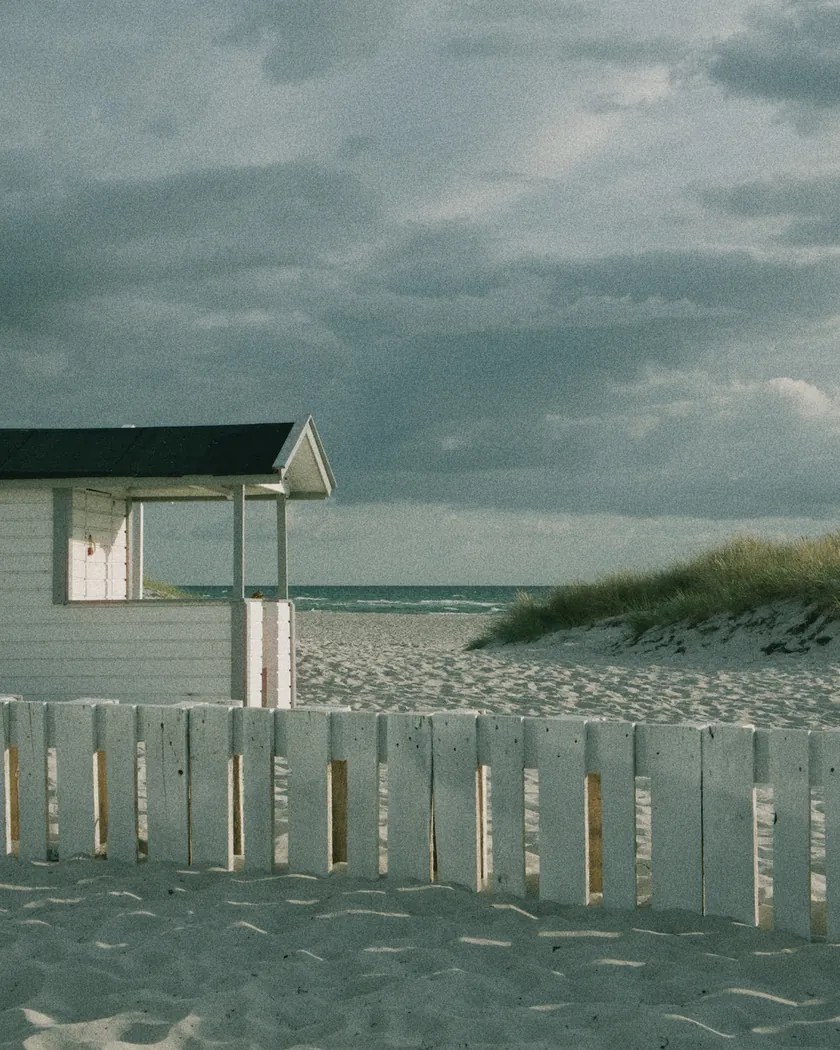
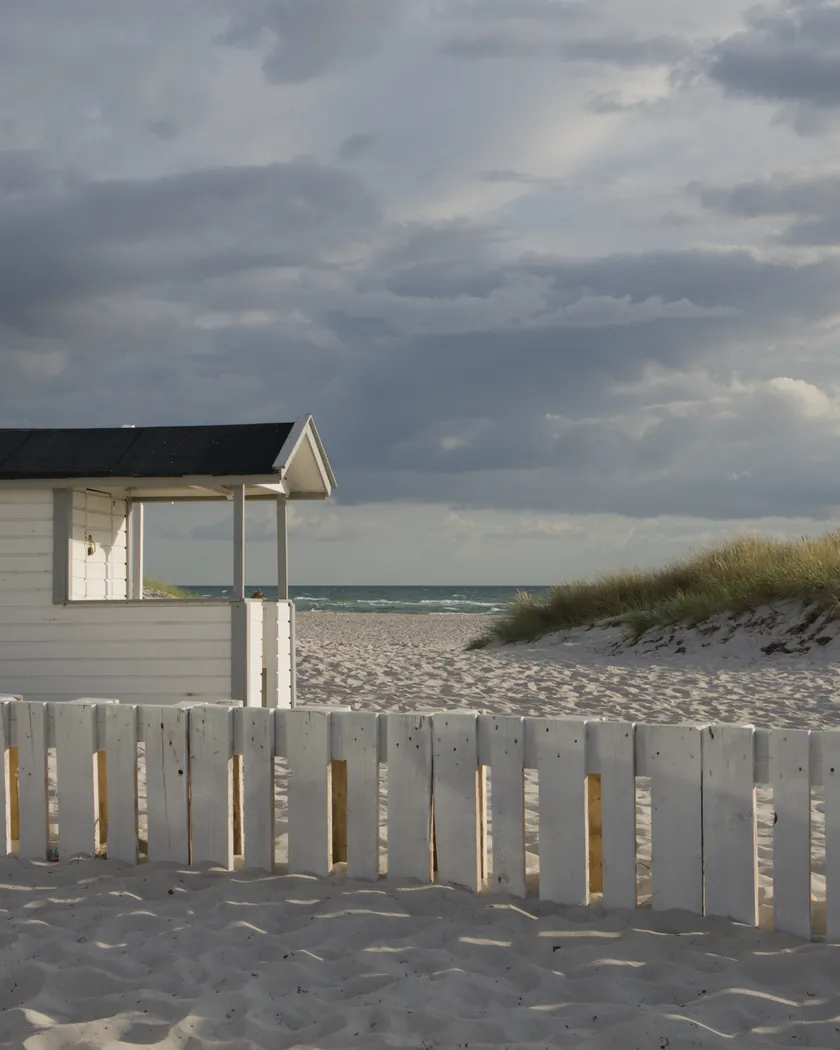
Translation into darktable
| Module | Role | Settings |
|---|---|---|
| blurs (instance “halation”) | Red halo around bright highlights, without touching the highlights themselves; no remjet layer, according to one review | Blur type 2, radius 150, parametric mask, opacity 22 % |
| rgb primaries | Greens and blues slide toward cyan: a green-blue cast | Green hue +0.04 rad, blue hue −0.04 rad, blue purity 0.94 |
| color balance rgb (instance “film”) | Cool green-blue cast in the shadows and midtones, barely magenta highlights, muted colors overall | Shadows 150° / 0.020, midtones 145° / 0.016, highlights 285° / 0.007; global saturation −18 % |
| color equalizer | Held-back blues, greens kept, skin not muted further | Saturation: blue ×0.82, cyan ×0.90, yellow ×0.95, red ×0.97; green and orange unchanged |
| tone curve (RGB, per channel) | Low contrast, raised blacks (muddy shadows), whites that stop short of 1 (washed out) | Nodes (0, 0.03) (0.08, 0.075) (0.2, 0.19) (0.35, 0.335) (0.5, 0.49) (0.65, 0.64) (0.8, 0.78) (0.9, 0.875) (1, 0.955) |
| grain | Visible grain, a little finer than the Wolfen NC500 style | Coarseness 2500, strength 36, midtones bias 55 |
Measurements
The measurements come from a few RAW files of our own, which are not published on this site. The photos shown here are different.
| Photo | Zone | Baseline | Metric | Before | After | Film expectation |
|---|---|---|---|---|---|---|
| Group photo | whole image | Base rendering | Lsd (contrast) | 30.7 | 29.6 | Low contrast: slightly lower |
| Group photo | whole image | Base rendering | L5 (blacks) | 2.6 | 4.5 | Muddy shadows: blacks raised |
| Group photo | whole image | Base rendering | L95 (whites) | 87.9 | 85.6 | Washed-out whites: lower |
| Group photo | whole image | Base rendering | C (chroma) | 8.6 | 7.1 | Muted colors |
| Seascape | whole image | Base rendering | Lsd (contrast) | 14.3 | 14.2 | Low contrast: almost unchanged |
| Seascape | whole image | Base rendering | L5 (blacks) | 29.4 | 29.3 | Muddy shadows: blacks raised |
| Seascape | whole image | Base rendering | L95 (whites) | 75.2 | 74.1 | Washed-out whites: lower |
| Seascape | whole image | Base rendering | C (chroma) | 21.4 | 13.8 | Muted colors: about 36 % less chroma |
| Seascape | sky | Base rendering | L (lightness) | 55.3 | 56.0 | No specific target |
| Seascape | sky | Base rendering | C (chroma) | 27.5 | 17.0 | Blues held back |
| Seascape | sky | Base rendering | h (hue, °) | 273.6 | 248.6 | Green-blue cast: hue toward cyan |
| Seascape | sea | Base rendering | C (chroma) | 22.2 | 15.0 | Blues held back |
| Seascape | sea | Base rendering | h (hue, °) | 270.1 | 226.5 | Green-blue cast: hue toward cyan |
| Portrait | skin | Base rendering | L (lightness) | 78.2 | 76.6 | No specific target |
| Portrait | skin | Base rendering | C (chroma) | 16.4 | 11.7 | Paler skin, not drained: about 29 % less chroma |
| Portrait | skin | Base rendering | h (hue, °) | 44.2 | 45.1 | Skin hue unchanged |
| Group photo | pink T-shirt | Base rendering | C (chroma) | 33.7 | 22.0 | Muted colors |
| Group photo | pink T-shirt | Base rendering | h (hue, °) | 358.8 | 6.0 | No specific target |
Base rendering: darktable’s default processing of the RAW file, without the preset. Luminance conversion (black and white): the same photo converted with plain luminance weights, to isolate the effect of the film’s spectral sensitivity.
What the style changes
The style sets six darktable modules. It follows the majority of the reviews summarized on the ORWO Wolfen NC400 film page: dull, cool colors with a green-blue cast, low contrast, muddy shadows, washed-out whites, visible grain and some halation. The datasheet gives only characteristic curves read by eye, so none of its values set the tone curve, which follows the reviews. All figures below come from renders made with darktable-cli 5.6.0 at 1000 px, measured in CIELab.
- Muted colors. The color balance rgb instance named “film” lowers global saturation by 18 %, and the color equalizer lowers blue saturation by 18 %, cyan by 10 %, yellow by 5 % and red by 3 %. On the seascape, chroma of the whole image drops from 21.4 to 13.8 (−36 %).
- A green-blue cast. The “film” instance tints the shadows toward 150° and the midtones toward 145°, with barely magenta highlights (285°, a very small dose). rgb primaries pushes greens and blues toward cyan. Sky and sea hues move toward cyan on the seascape: 273.6° to 248.6° and 270.1° to 226.5°.
- Low contrast, raised blacks, washed-out whites. The tone curve starts at 0.03 and ends at 0.955. On the group photo, contrast (Lsd) goes from 30.7 to 29.6, the darkest 5 % from L 2.6 to 4.5 and the brightest 5 % from L 87.9 to 85.6.
- Skin paler, not drained. Skin hue hardly moves (44.2° to 45.1°) and chroma falls by about 29 % (16.4 to 11.7).
- Halation. A blur instance named “halation” adds a red halo around clear highlights at 22 % opacity. It is the same construction as the Wolfen NC200 style, at a higher strength (14 % there). On the portrait it shows as a thin red edge along the blue door against the white wall. It was set by eye and is not measured.
- Visible grain. Coarseness 2500 and strength 36, a little finer than the Wolfen NC500 style (2800 and 40), with a midtones bias of 55.
Next to its neighbors, this style is less muted than the Wolfen NC500 style (chroma of the seascape: 13.8 against 8.4), but cooler in skin and with raised blacks where NC500 crushes them (L5 of the group photo: 4.5 against 1.0). It is cooler and duller than the Wolfen NC200 style, whose blues stay at hue 272 (249 here).
What it leaves alone
- Your base development. The style contains no exposure, no sigmoid or filmic, no white balance and no LUT. Those settings stay as you made them. In particular it does not reproduce the underexposure that some reviews report: a style should not change exposure.
- Your color balance rgb and your “halation” blur. The style’s color balance rgb (“film”) and blurs (“halation”) are separate named instances: they are added next to yours, which stay untouched.
- But not your rgb primaries, color equalizer, tone curve or grain. When you apply a style from the lighttable or the darkroom, each of its modules replaces the instance of the same module with the same name, if the photo has one, and is added otherwise. These four modules carry no instance name, so they replace any settings you had already made in them. Your earlier settings remain in the history.
Exporting with a style, or rendering with darktable-cli, works differently: every module of the style is added as a separate instance. Our measurements were made that way, on darktable’s default rendering. The details are in Install and apply darktable styles.
Limits
- An interpretation, not an emulation. The datasheet only gives characteristic curves, read by eye; no curve value tuned the style. Everything else comes from reviews.
- Few reviews, often negative and subjective. Some concern other ORWO films. Take the style with caution.
- Color cast. Most reviews report green-blue, one reports yellowish. It depends on the lab and the scanner. The style follows the majority.
- Halation and “extreme” grain. One source each, and the grain claim contradicts ORWO’s own text, which promises subtle grain. The style takes visible grain, a little finer than the NC500 style.
- Magenta highlights. A single, unread source: the style applies a very small dose.
- Not the NC500. Reviews comparing the two are rare, and the manufacturer’s text blocks are shared between them.
Tips
- Portraits and buildings over blue skies. The reviews find the film better for those, and the style mutes blues accordingly.
- Watch bright edges. The halation acts on clear highlights against dark areas. Reduce the opacity of the “halation” instance if it is too visible.
- Apply it early. If you plan to fine-tune the rgb primaries, color equalizer, tone curve or grain yourself, apply the style first: it would replace those settings if you made them before.
- Everything stays editable. Each module the style sets is an ordinary module instance: you can adjust or switch it off afterwards, for example the grain strength or the “film” color balance rgb.
- Installation: see Install and apply darktable styles.
Get the preset

Film emulation software for Mac
Grain Archive Lab
Develop the Wolfen NC400 look on your Mac: grain and halation built in, then the photo in its film frame or on a contact sheet.
Free trial: no account needed, TRIAL watermark · One-time · current major version and all its updates · Macs with Apple silicon, macOS 15 Sequoia or later
Or the darktable preset
GA — 072 / P · darktable preset
Wolfen NC400
for darktable
Try the free darktable pack first · What the darktable pack contains