darktable preset inspired by ORWOWolfen NC200
Warm, medium-low contrast with muted blues, present greens, visible grain and a light red halation.
- Film
- GA — 055 · sheet, datasheet, sources
- Pack
- Full pack
- darktable
- 5.6 or later
- In darktable
- Styles › Pellicules › Couleur
- File
- Pellicules - Couleur - ORWO Wolfen NC200.dtstyle
A darktable 5.6 style inspired by ORWO Wolfen NC200, built from reviews since no datasheet exists: native modules, no LUT, measured on real RAW files. In the full pack.
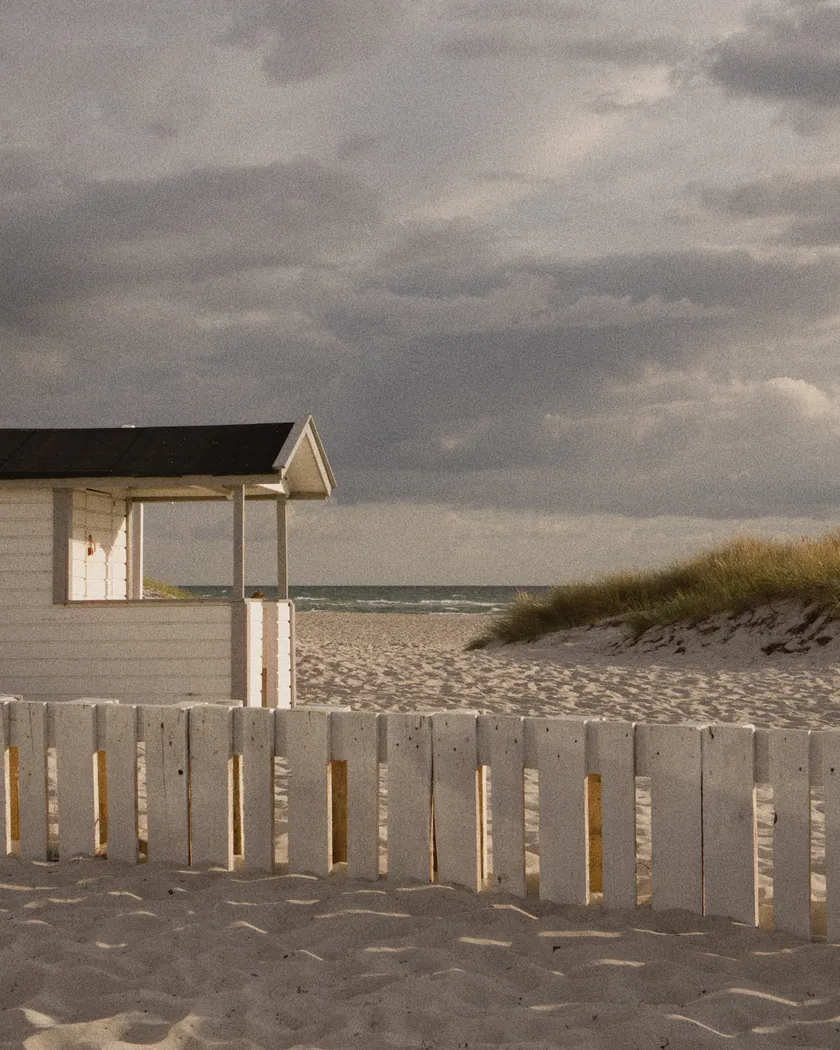
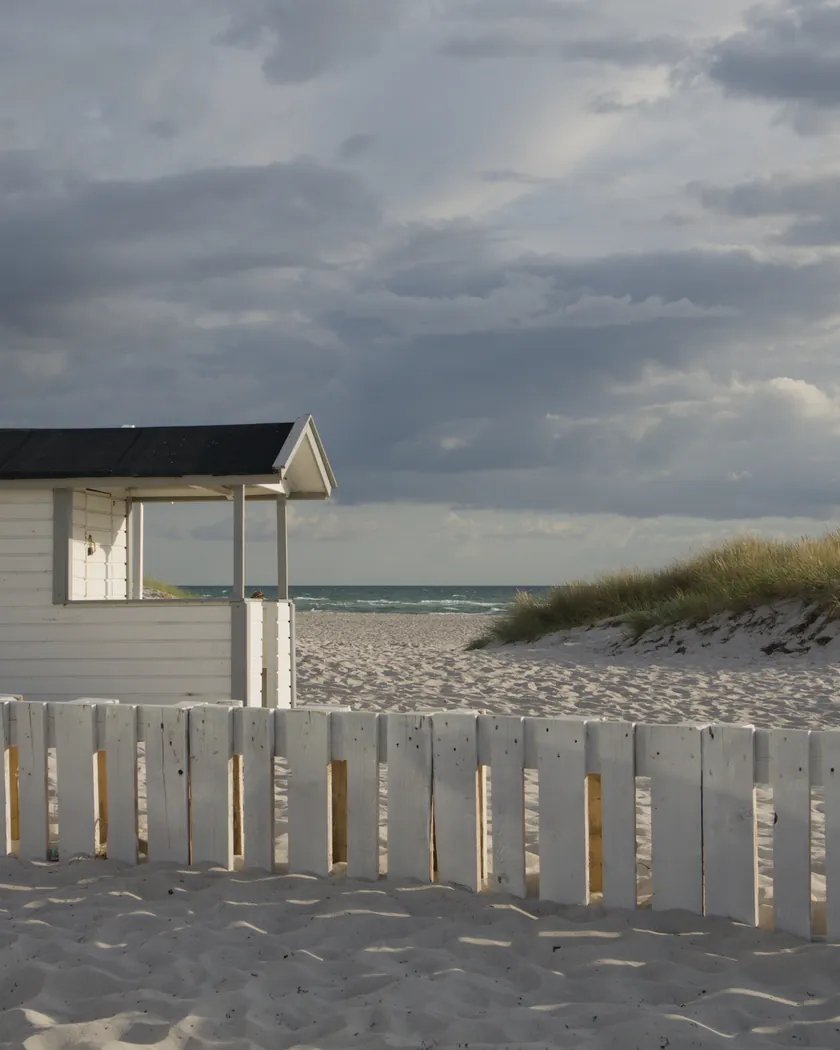
Translation into darktable
| Module | Role | Settings |
|---|---|---|
| blurs (instance “halation”) | A red halo around highlights only, without touching the highlights themselves; disable the instance to remove it | Gaussian blur, radius 150, opacity 14 %, parametric mask |
| rgb primaries | Greens toward yellow, reds toward orange, blues slightly held back | Green hue −0.03 rad, red hue +0.02 rad, blue hue −0.06 rad, blue purity 0.95 |
| color balance rgb (instance “film”) | Warm cast, nearly neutral shadows, slightly muted palette | Midtones 55° / 0.014, highlights 55° / 0.018, shadows 100° / 0.008; global saturation −4 % |
| color equalizer | Punch in the greens, restrained blues | Saturation: green ×1.10, red ×1.02, blue ×0.95, cyan ×0.95 |
| tone curve (RGB, per channel) | Medium-low contrast, barely lifted toe, soft shoulder | Nodes (0, 0.01) (0.1, 0.08) (0.25, 0.24) (0.5, 0.495) (0.75, 0.745) (0.88, 0.875) (1, 0.97) |
| grain | Visible grain that shows in the shadows; finer than the Wolfen NC500 style (2800 / 40) | Coarseness 2300, strength 32, midtones bias 45 |
Measurements
The measurements come from a few test photos of our own, which are not published on this site. The photos shown here are different.
| Photo | Zone | Baseline | Metric | Before | After | Film expectation |
|---|---|---|---|---|---|---|
| 1014 | whole image | Base rendering | Lsd (contrast) | 30.7 | 30.9 | Medium-low contrast: almost unchanged |
| 1014 | whole image | Base rendering | L5 (blacks) | 2.6 | 2.7 | Shadows not crushed |
| 1014 | whole image | Base rendering | L95 (whites) | 87.9 | 87.5 | Whites kept |
| 1014 | whole image | Base rendering | C (chroma) | 8.6 | 10.0 | Warm, slightly muted palette |
| 0775 | whole image | Base rendering | Lsd (contrast) | 14.3 | 14.7 | Medium-low contrast: almost unchanged |
| 0775 | whole image | Base rendering | L5 (blacks) | 29.4 | 28.8 | Shadows not crushed |
| 0775 | whole image | Base rendering | L95 (whites) | 75.2 | 75.3 | Whites kept |
| 0775 | whole image | Base rendering | C (chroma) | 21.4 | 12.8 | Slightly muted palette, restrained blues |
| 0775 | sky | Base rendering | L (lightness) | 55.3 | 56.0 | No specific target |
| 0775 | sky | Base rendering | C (chroma) | 27.5 | 17.5 | Restrained blues: about 36 % less saturated |
| 0775 | sky | Base rendering | h (hue, °) | 273.6 | 272.6 | Blue hue unchanged (within 1°) |
| 0775 | sea | Base rendering | C (chroma) | 22.2 | 12.2 | Restrained blues: about 45 % less saturated |
| 0775 | sea | Base rendering | h (hue, °) | 270.1 | 270.1 | Blue hue unchanged |
| 0989 | skin | Base rendering | L (lightness) | 78.2 | 77.0 | No specific target |
| 0989 | skin | Base rendering | C (chroma) | 16.4 | 21.3 | Warm skin: clearly more saturated |
| 0989 | skin | Base rendering | h (hue, °) | 44.2 | 48.4 | Warm skin: about 4° warmer |
| 1014 | pink T-shirt | Base rendering | C (chroma) | 33.7 | 33.1 | Saturation kept |
| 1014 | pink T-shirt | Base rendering | h (hue, °) | 358.8 | 16.1 | Pink toward orange with the warm cast |
Base rendering: darktable’s default processing of the RAW file, without the preset. Luminance conversion (black and white): the same photo converted with plain luminance weights, to isolate the effect of the film’s spectral sensitivity.
What the style changes
The style sets six darktable modules. There is no datasheet for the film, so the style follows what reviewers describe on the ORWO Wolfen NC200 film page: medium-low contrast, a warm cast, present greens, restrained blues, visible grain and a light halation. All figures below come from renders made with darktable-cli 5.6.0 at 1000 px, measured in CIELab. No reference render from another pack was available for this film.
- A medium-low tone curve. The toe is barely lifted and the shoulder is soft. Contrast hardly moves (Lsd 30.7 → 30.9 on photo 1014, 14.3 → 14.7 on photo 0775), and blacks and whites are kept (L5 2.6 → 2.7, L95 87.9 → 87.5): the shadows do not collapse and the whites do not burn.
- Restrained blues. rgb primaries and the color equalizer hold the blues back while their hue stays put. Sky chroma falls by about 36 % (27.5 → 17.5) and sea chroma by about 45 % (22.2 → 12.2), against about 2 % for the pink T-shirt on photo 1014 (33.7 → 33.1). Sky hue stays within 1° (273.6 → 272.6).
- Warm cast and warmer skin. A color balance rgb instance named “film” adds a warm tint to the midtones and highlights, with almost neutral shadows and saturation lowered by 4 %. Skin chroma rises from 16.4 to 21.3 (about 30 %) and its hue from 44.2° to 48.4°. That matches the warm rendering reviewers describe, but the rise is clear. The pink T-shirt turns toward orange (hue 358.8° → 16.1°).
- Present greens. The color equalizer raises green saturation by 10 % and rgb primaries turns greens toward yellow, which keeps them warmer than in the Wolfen NC500 style.
- Visible grain, finer than the NC500 style (coarseness 2300, strength 32, against 2800 and 40).
- A light halation. A blurs instance named “halation” adds a red glow around the brightest areas, at 14 % opacity, to echo the mild halos reviewers saw.
Compared with the Wolfen NC500 style, the blues are about half as muted, there is no green-yellow cast, the shadows hold, and skin is livelier. It is warmer and lower in contrast than the Phoenix 200 style.
What it leaves alone
- Your base development. The style contains no exposure, no sigmoid or filmic, no white balance and no LUT. Those settings stay as you made them.
- Your color balance rgb and blurs. The style’s color balance rgb is a separate instance named “film”, and its blurs instance is named “halation”: both are added next to yours.
- But not your tone curve, rgb primaries, color equalizer or grain, if their instance carries no name. When you apply a style from the lighttable or the darkroom, each of its modules replaces the instance of the same module with the same name, if the photo has one, and is added otherwise. Your earlier settings remain in the history.
- Your pipeline order. The style file carries no module order list.
Exporting with a style, or rendering with darktable-cli, works differently: every module of the style is added as a separate instance. The measurements above were made that way. The details are in Install and apply darktable styles.
Limits
- An interpretation, not an emulation. With no datasheet, no curve, granularity or spectral sensitivity was used. Everything comes from reviews, which disagree on contrast, greens and reds.
- Pre-production reviews. Two reviews cover pre-production film (halation, rainbow-colored spots). The current film may differ. The black specks reported by Blue Moon are not reproduced.
- Scan cast. The green or cyan cast seen on some scans depends on the lab, and the style does not reproduce it.
- Tinted grain. The red and blue noise reviewers see in the shadows is not reproduced: darktable’s grain module is neutral.
- Halation is an approximation. It is a Gaussian blur masked by luminance, and the 14 % opacity was chosen by eye, without measurement.
- One source unread. Analog.cafe’s Phoenix comparison is behind a subscription and was not read.
Tips
- To remove the halation, disable the “halation” blurs instance.
- For the film’s low-contrast look on bright scenes, expose a little generously, as reviewers advise for the real film.
- Apply it early. If you plan to fine-tune the tone curve, rgb primaries, color equalizer or grain yourself, apply the style first: it would replace those settings if you made them before.
- Everything stays editable. Each module the style sets is an ordinary module instance: adjust or switch it off afterwards, for example the grain strength or the “film” color balance rgb.
- Installation: see Install and apply darktable styles.
Get the preset
GA — 055 / P · darktable preset
Wolfen NC200
for darktable