Grain Archive Lab · Film emulation software for Mac
The photo software made to look like film.
Grain, halation, push and pull, light leaks, film frames and contact sheets, on your own photos. And the first digital cameras, too.
Sort a session, give each photo one of 95 film looks or a Digital Era camera, develop it like film, then show it in an analog border, a film frame, a strip of film or on a contact sheet.
- Apple silicon
- macOS 15 Sequoia or later
- $49 one-time
- Free trial: no account needed, TRIAL watermark

Library, Develop, Output
Three steps in one window, the way a lab works: sort the roll, develop the frames you kept, then print them.
- 01 · Library · ⌘1
Sort a session from the keyboard
Open a folder as a session, then keep and reject with one key while the next photo comes up on its own. Photos copied into the folder join the session, and your files are never changed.
- P to keep, X to reject, U to undo
- All, picks, unflagged or rejects, with their counts
- A RAW and its JPEG count as one photo
- Recent sessions, one click away
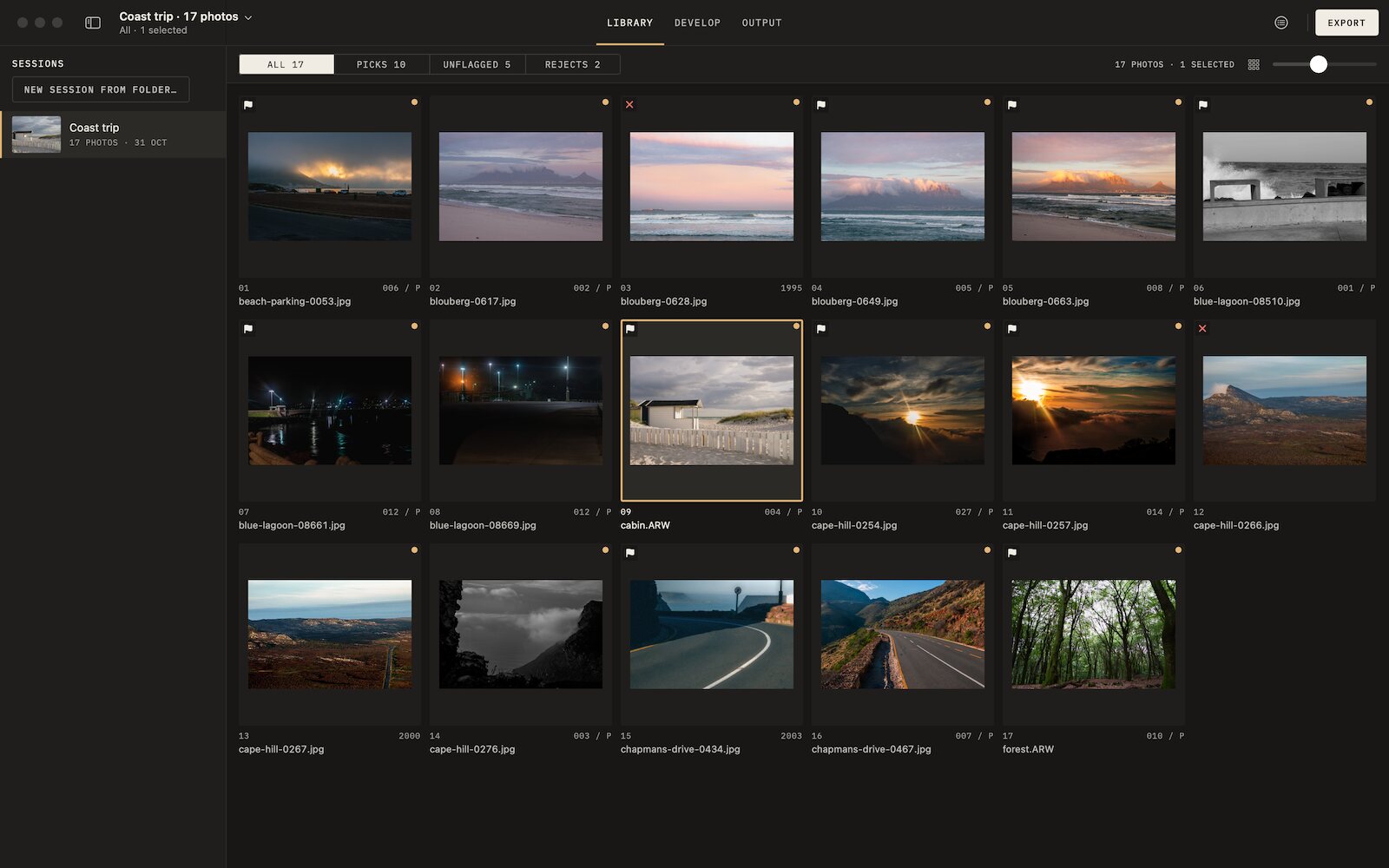
Library: a session of 17 photos, sorted from the keyboard. - 02 · Develop · ⌘2
Choose the look on your own photo
Every look shows on your photo, in the browser and in the viewer as you hover it. Apply it, pick Subtle, Standard or Strong in Easy, or develop it as a film in Advanced: exposure, push or pull, the print, the grain.
- Push and pull, with the exposure index shown
- Print density, contrast and C/M/Y printing lights
- Grain from the film’s datasheet, halation, bloom, vignette
- Light leaks placed by hand, crop and straighten
- Before and after side by side, one look for a whole selection
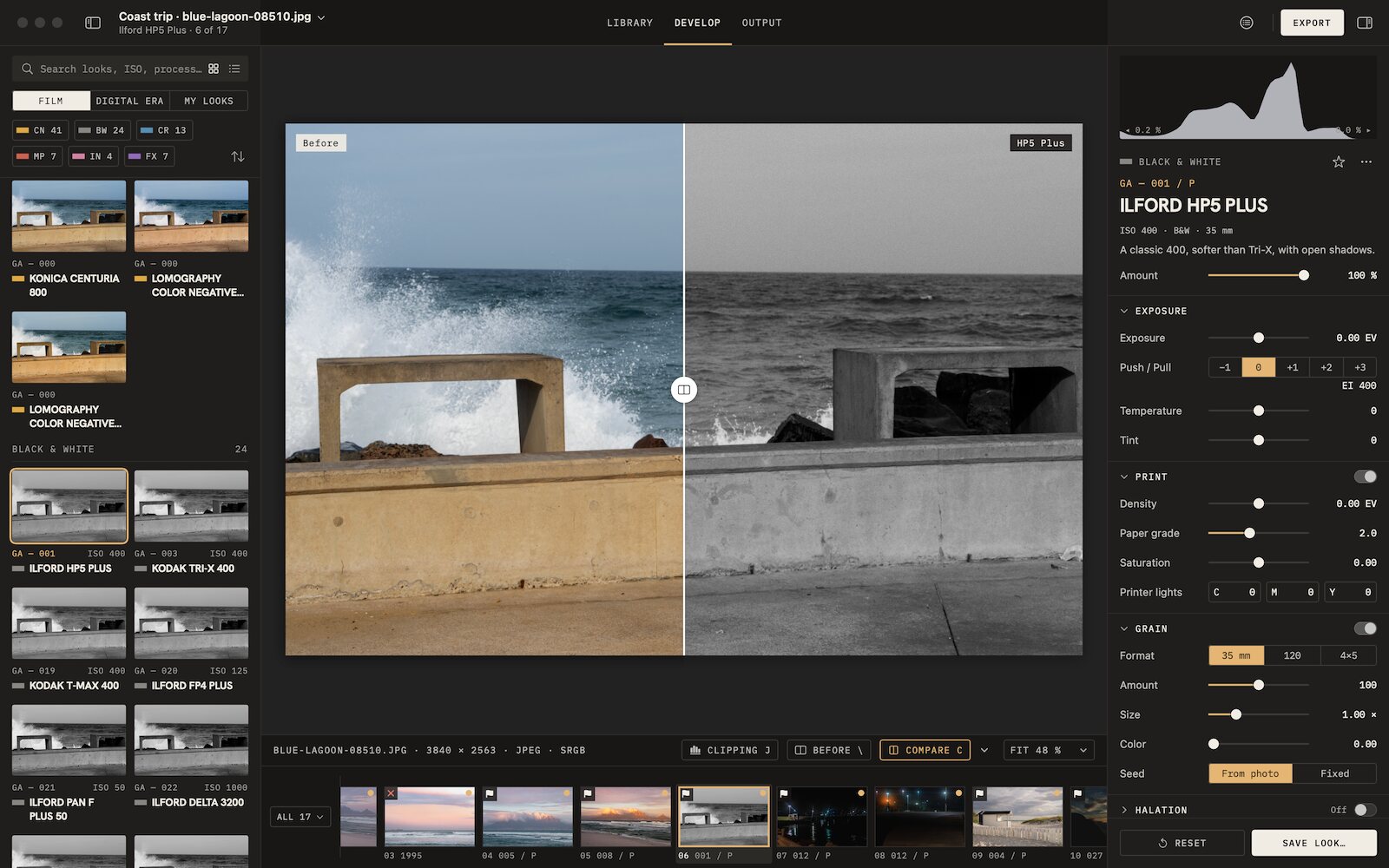
Develop: before and after, with a black and white look. - 03 · Output · ⌘3
Show the photo the way film is shown
Give each photo its own border or frame, lay the session on a strip of film, or on a contact sheet, with a live preview. Then export or print what you see.
- Analog borders: filed carrier, scorched, deckled or torn paper, brushed emulsion, peel-apart
- One frame of 35 mm or 120 film, a slide mount, an instant print
- The whole session on a 35 mm or 120 strip
- Contact sheets with picks circled and rejects crossed out, to print or export as PDF, JPEG or TIFF
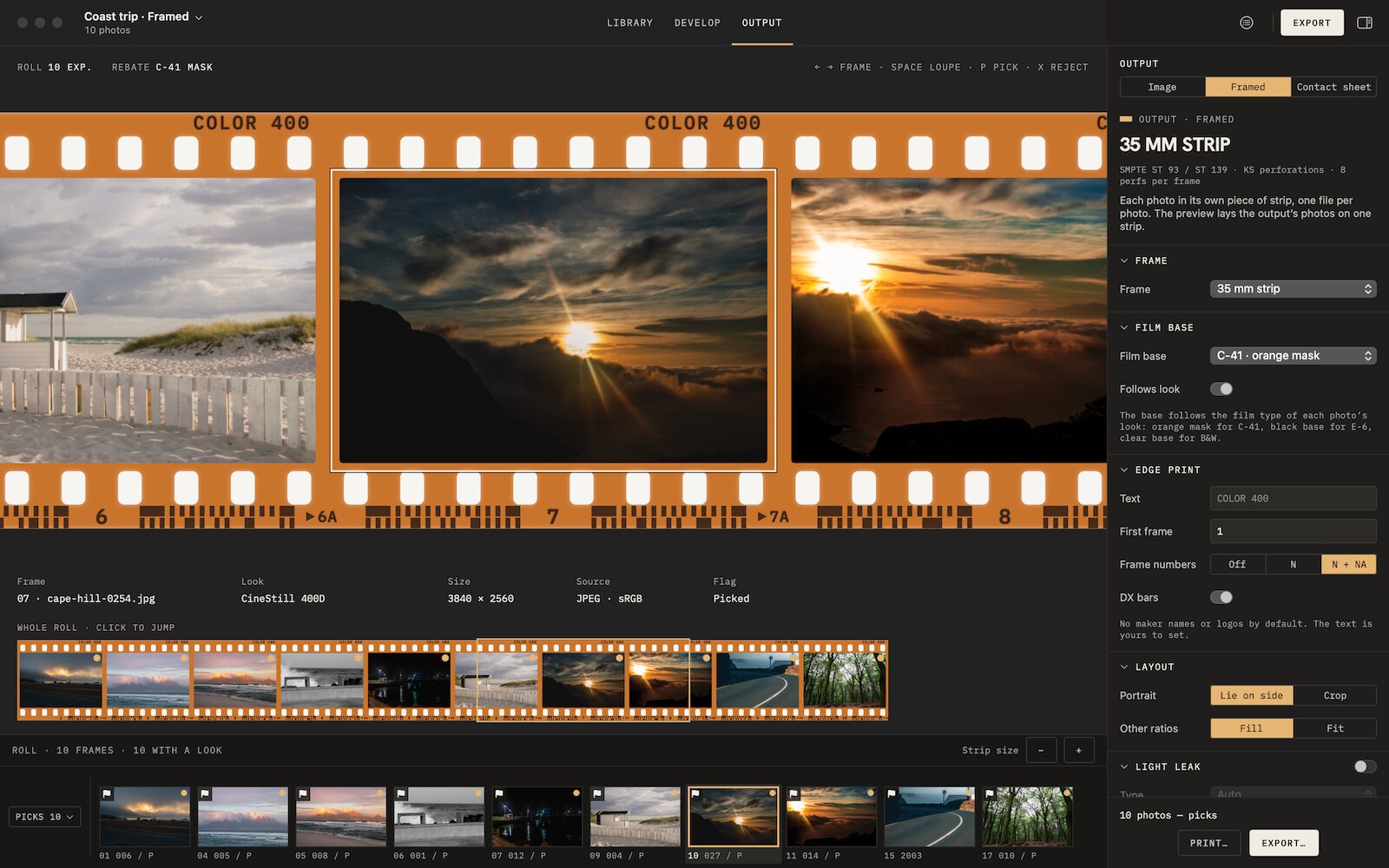
Output: the photo in a 35 mm strip, the whole roll below. 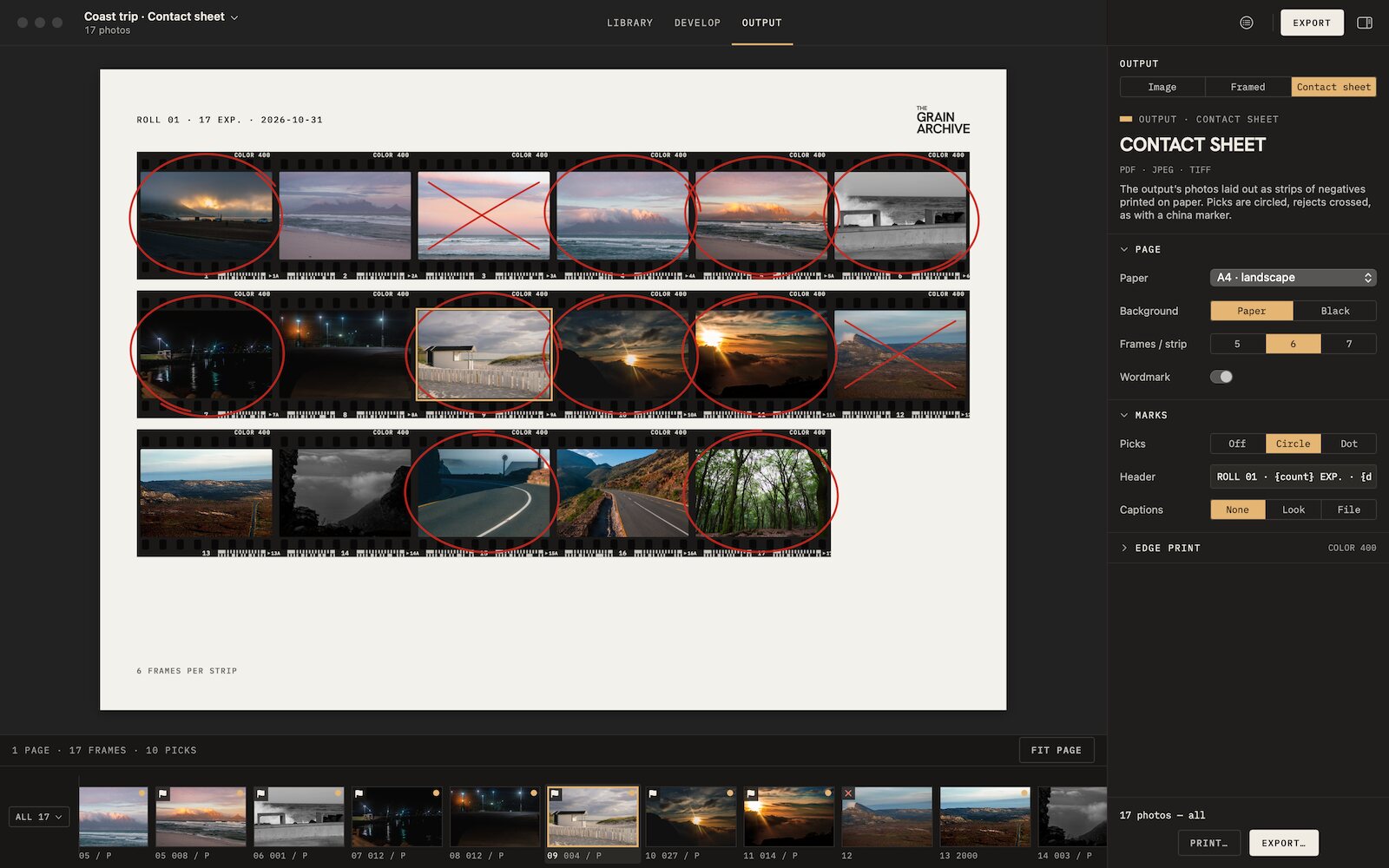
Output: a contact sheet, picks circled, rejects crossed out. 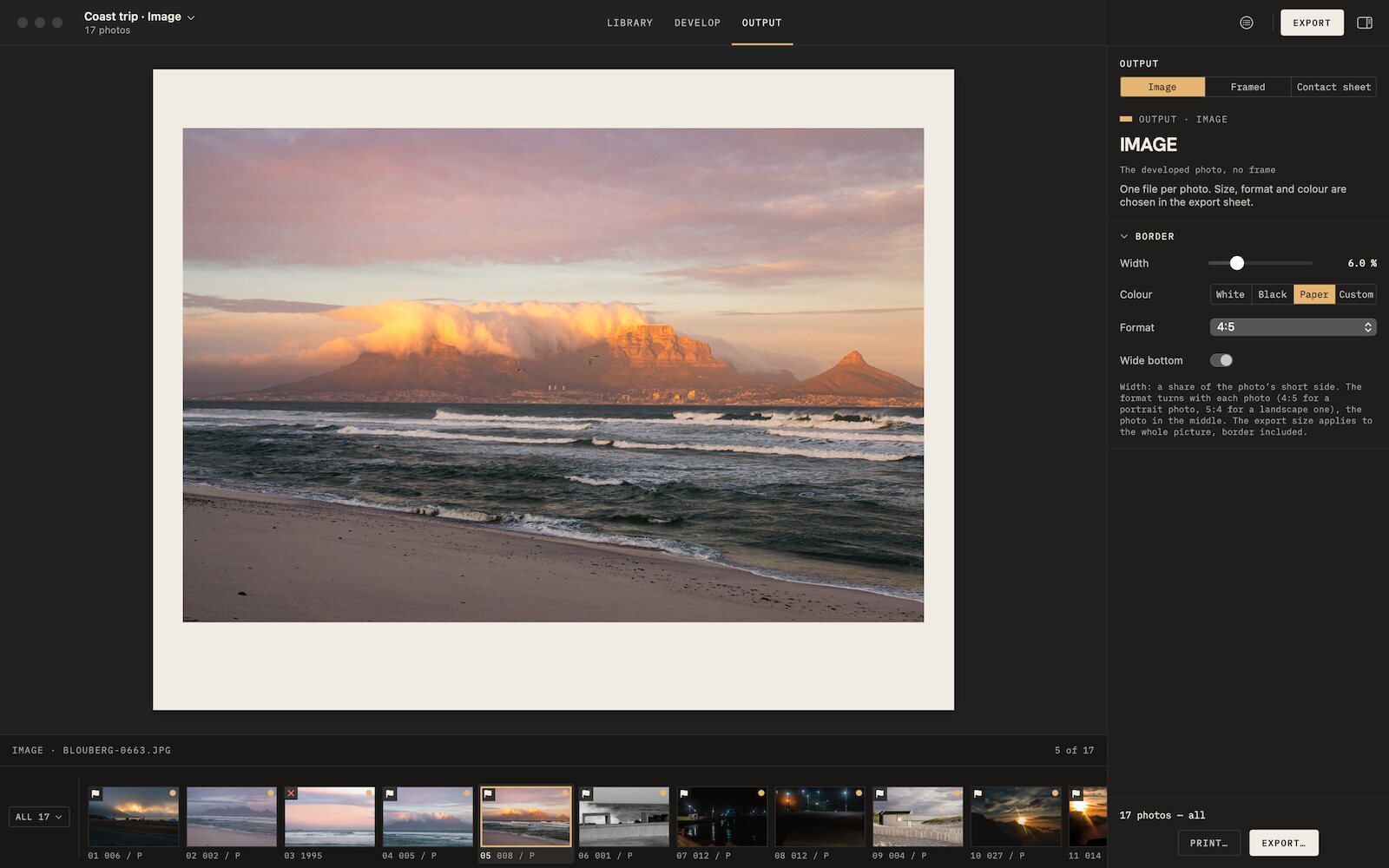
Output: a paper-colored border, wider at the bottom.


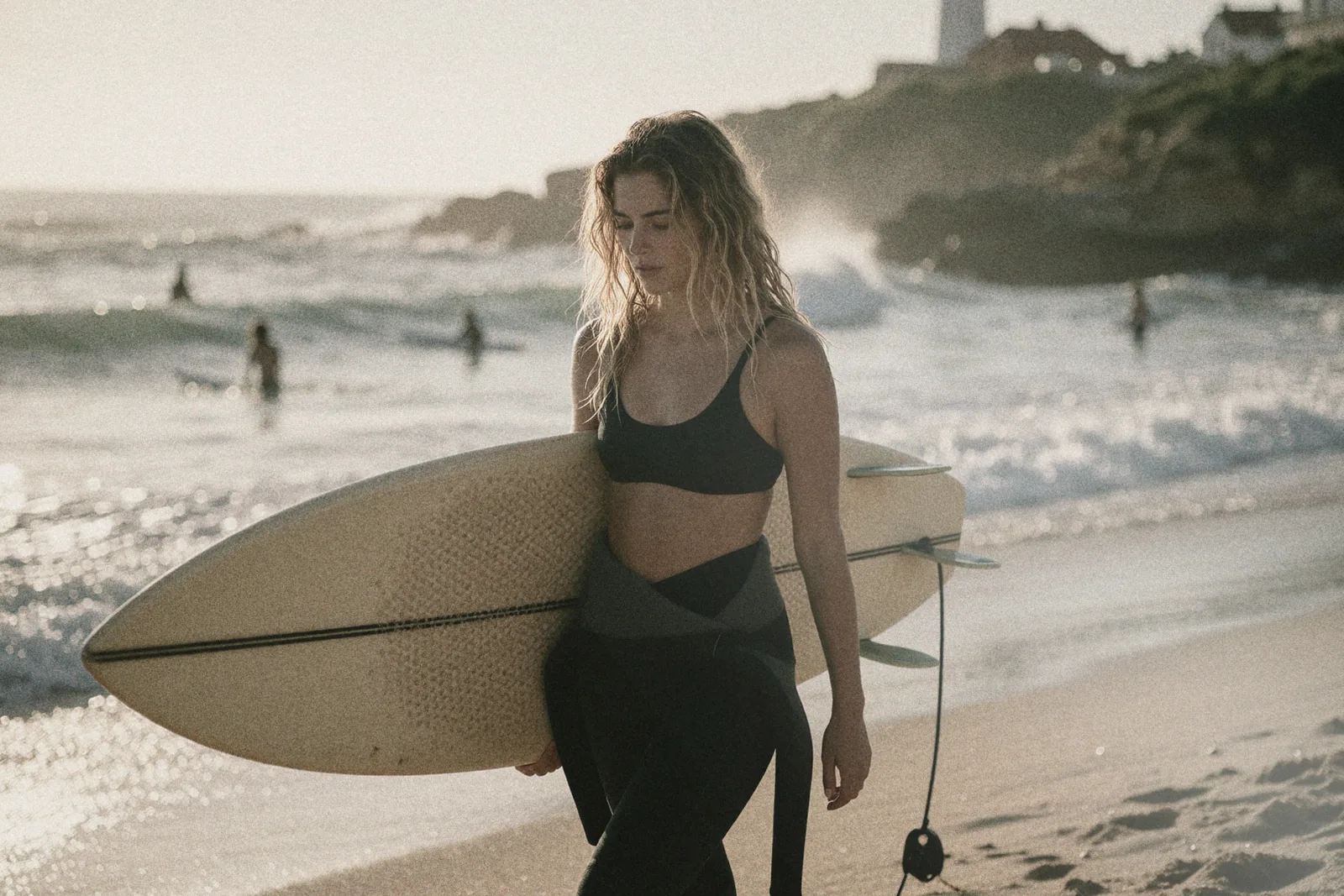
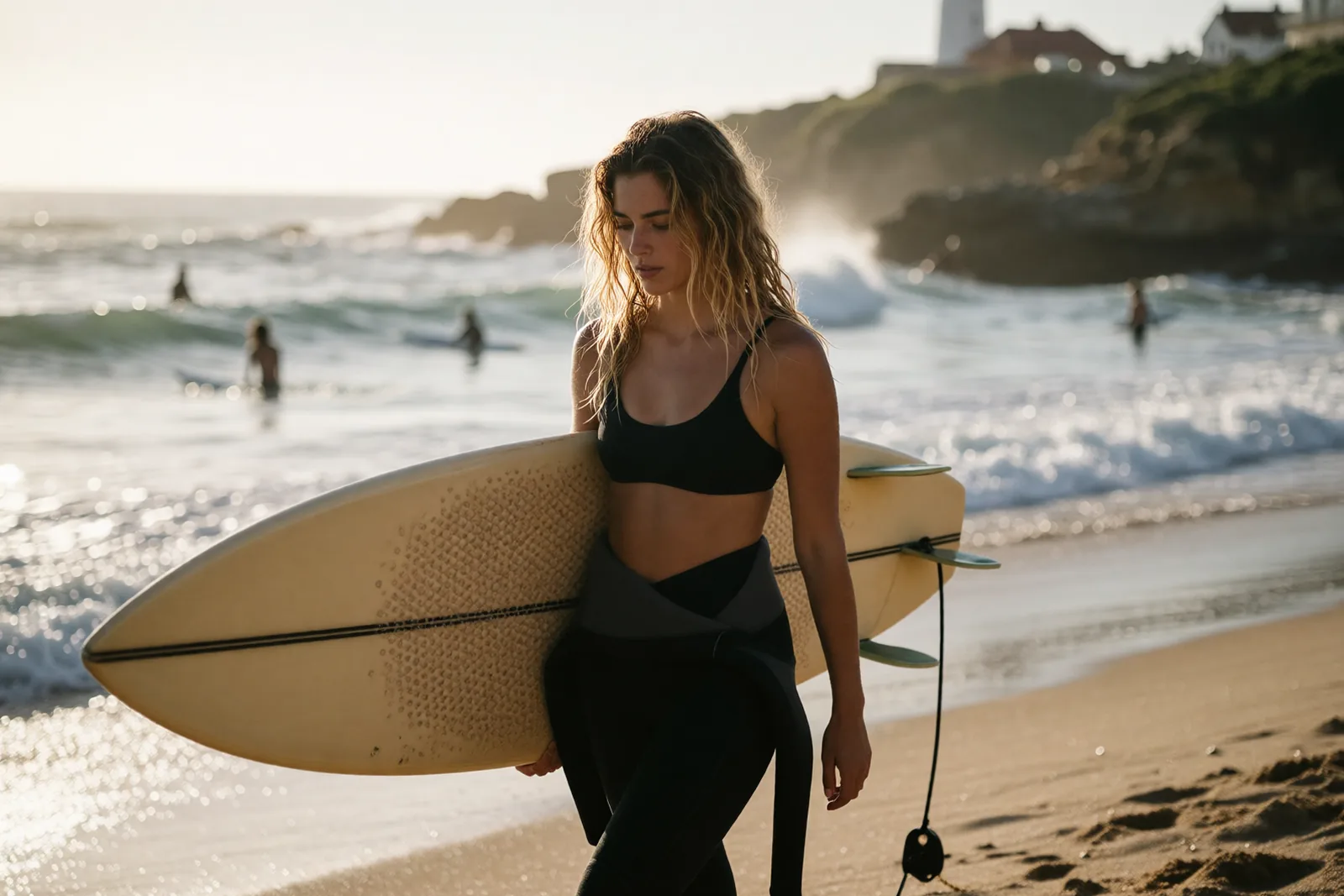
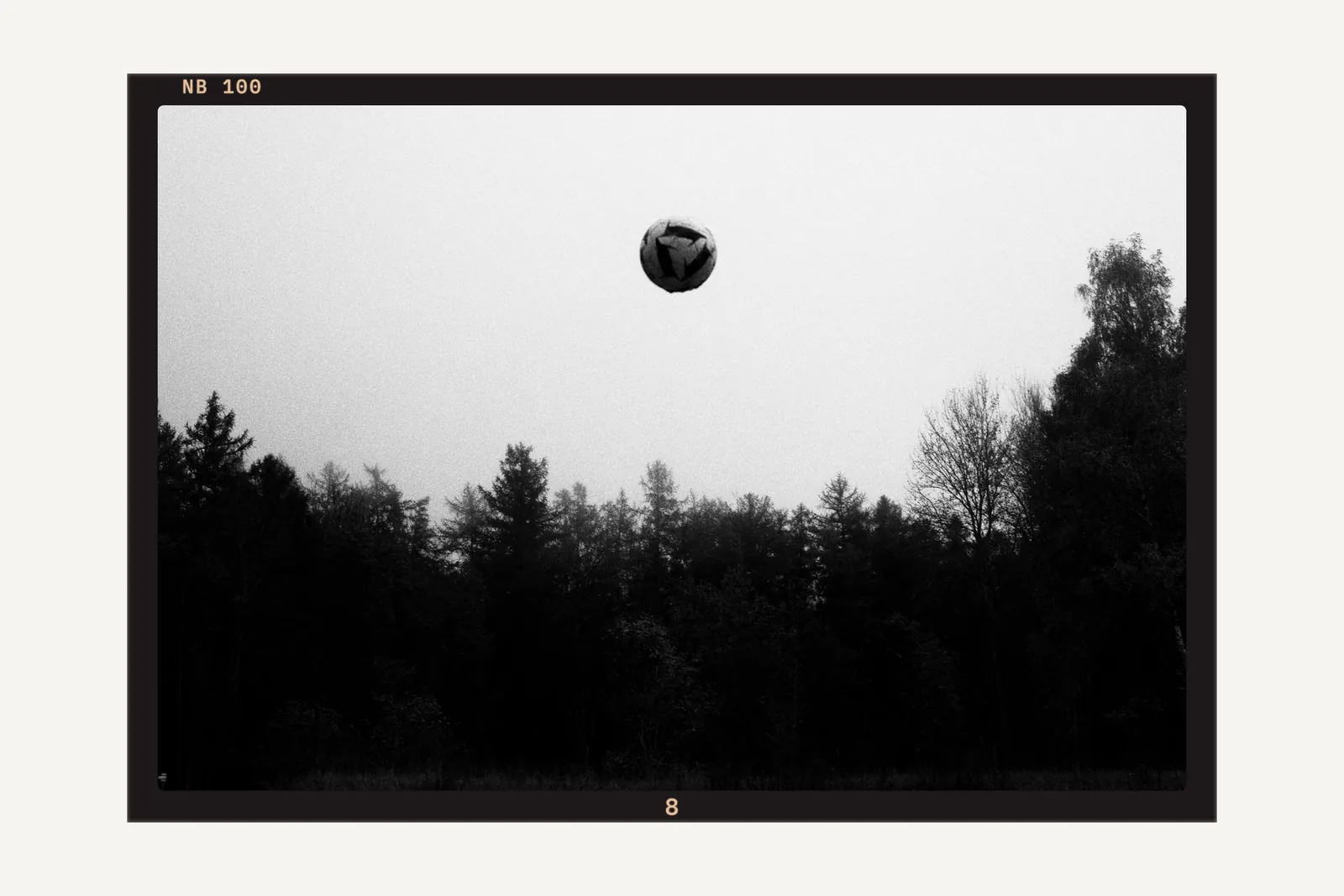
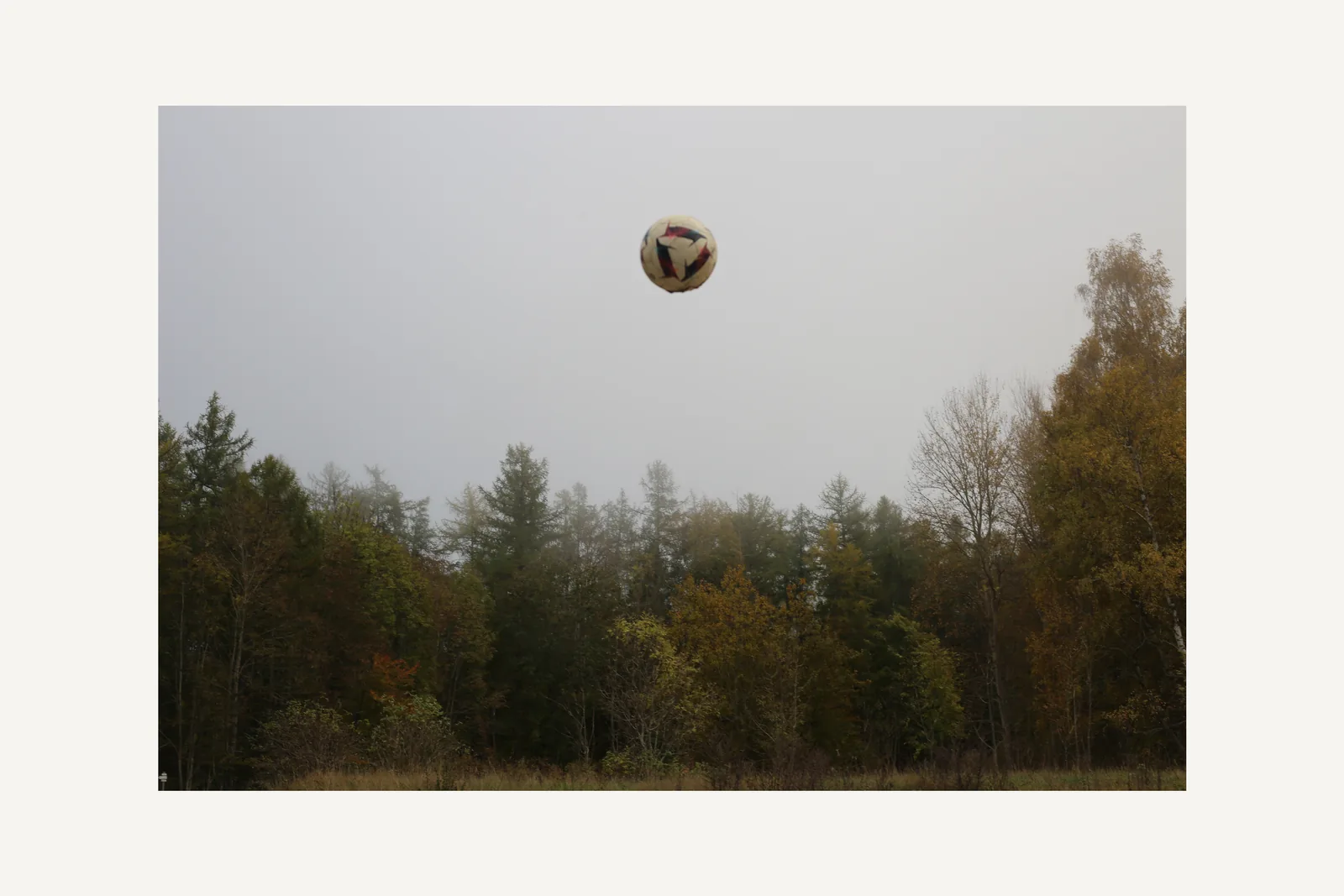
Before and after
The same photo as shot, then developed in Grain Archive Lab.
What it does, in detail
Each feature, its settings, and how to use it.
-
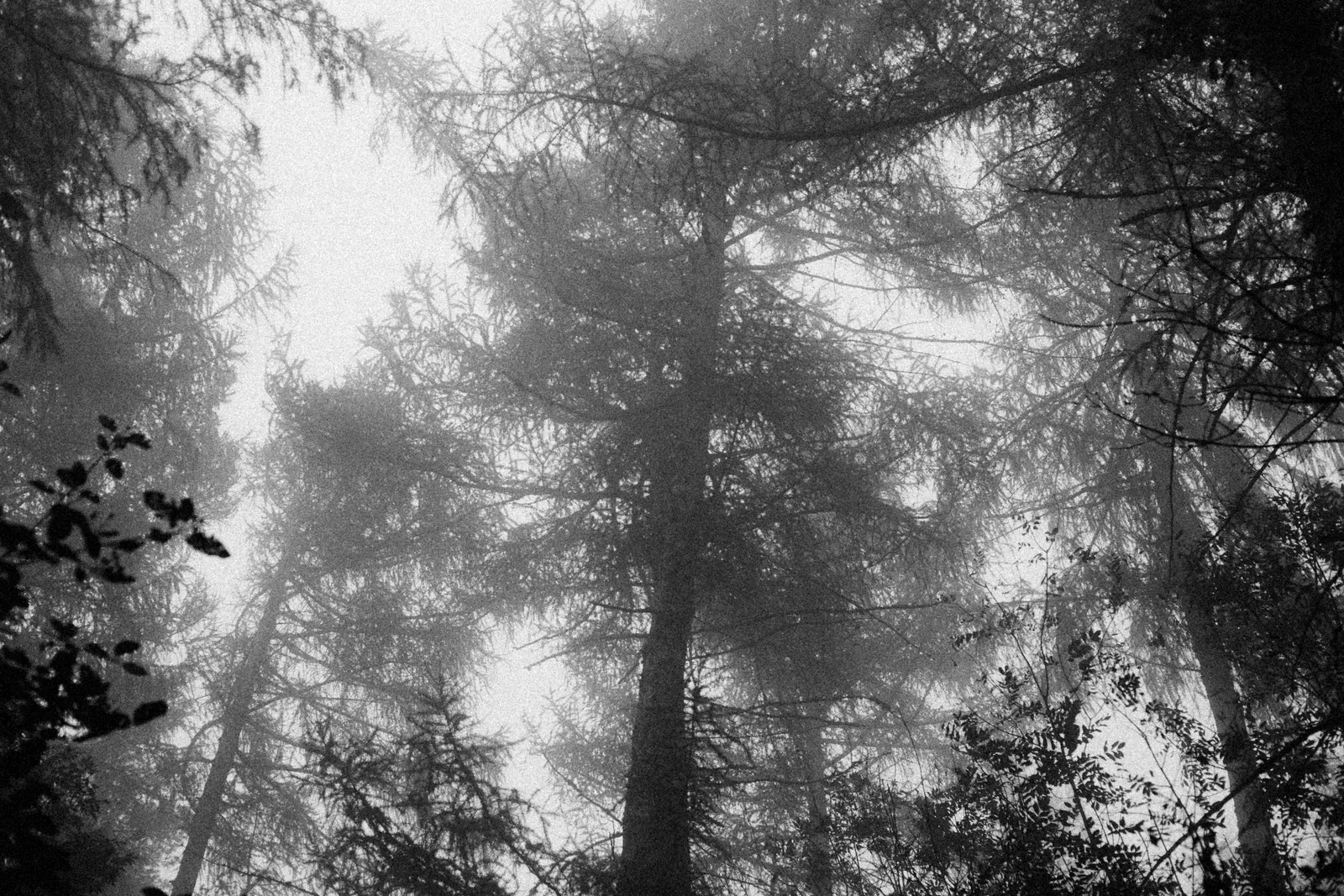 Film grainThe grain of each film, from its datasheet, coarser when you push it.
-
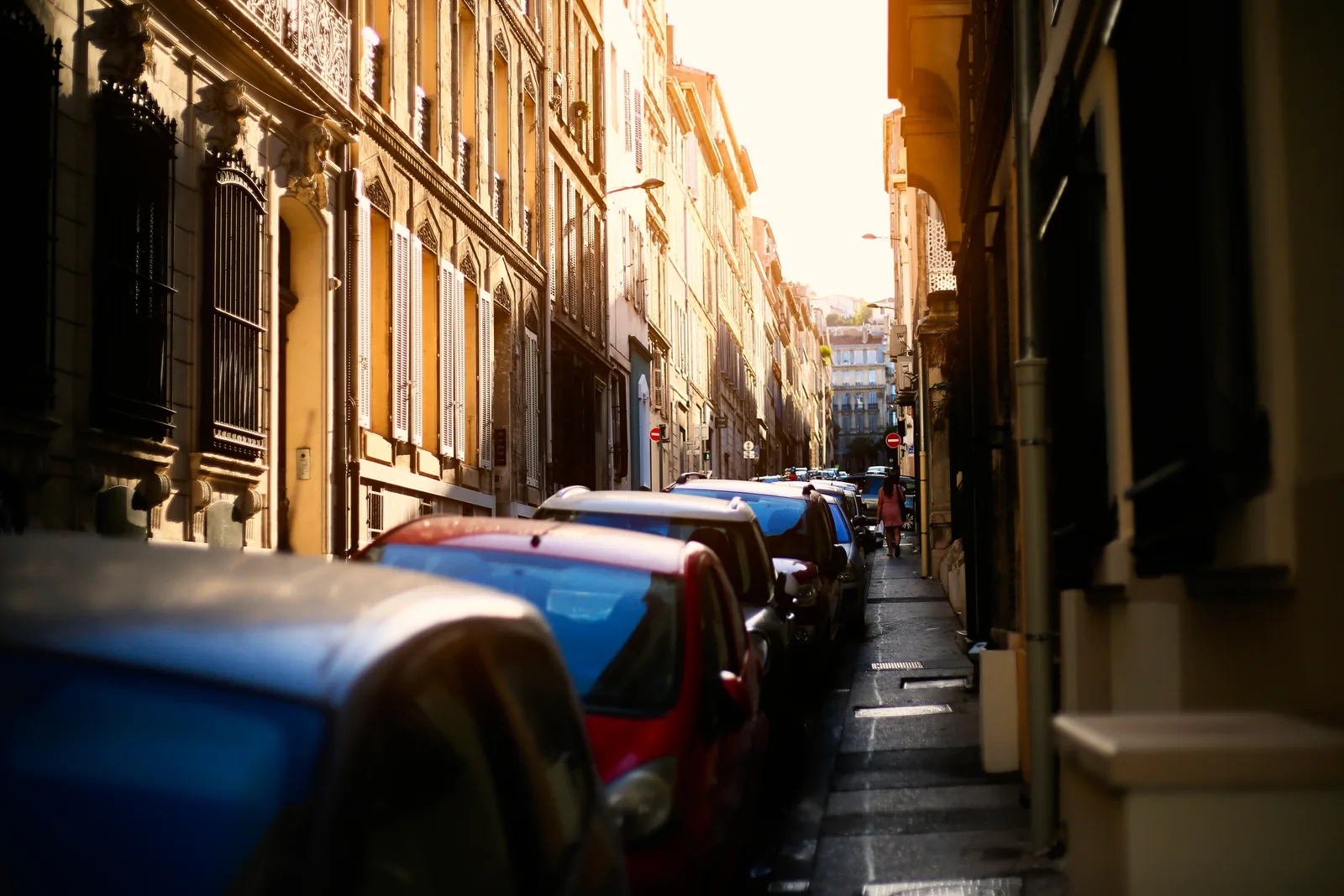 HalationThe red glow of films without an anti-halation layer, around your brightest lights.
-
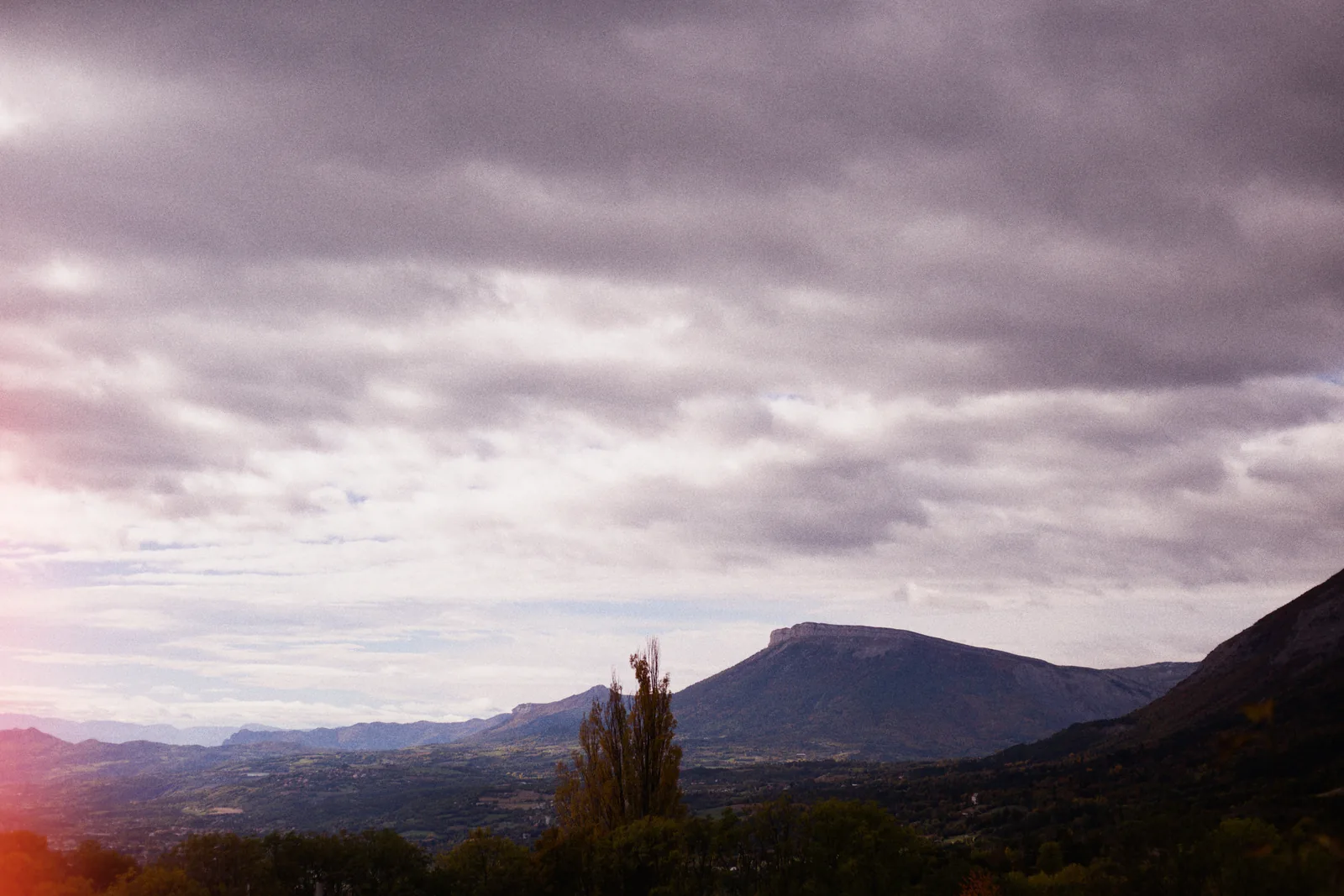 Light leaksStreaks, spots and edge glows, as many as you want, dragged where you want them.
- Film borders and framesAnalog borders, film frames, slide mounts and instant prints, photo by photo.
- Contact sheetsThe whole session on paper, picks circled, rejects crossed out, to print or export.
-
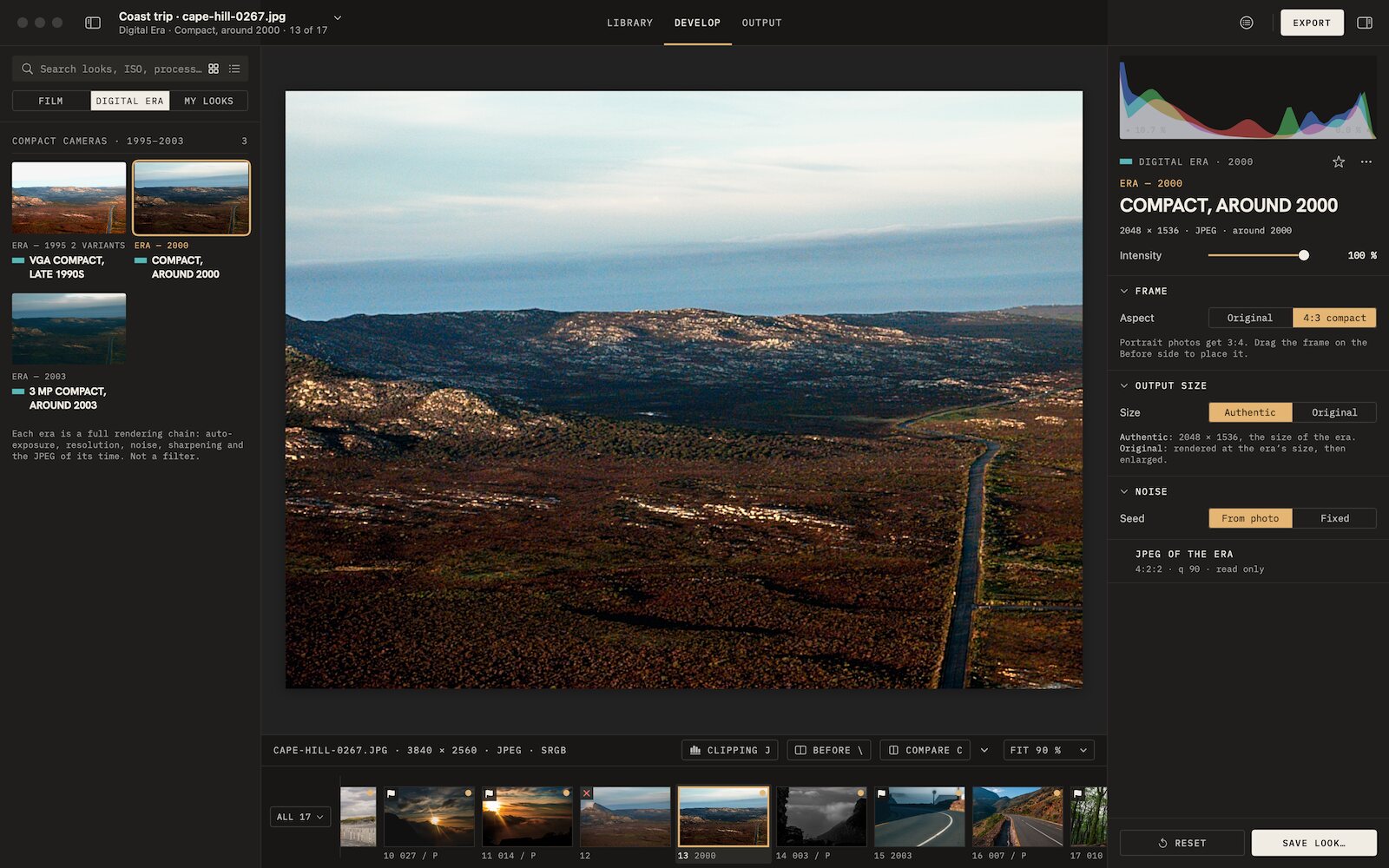 Digicam look3 eras of compact digital cameras, from VGA to 3 MP, their whole chain.
Why we built an app
A preset can only move the sliders of someone else’s software.
That is enough for the color and tone of a film, and it is what the presets do.
The Digital Era is where it stopped being enough. The look of a compact camera from 2003 comes from its whole chain: how it exposed, the noise of its small sensor, its resolution, the halos of its sharpening, the JPEG of its time. No slider reaches its resolution or its JPEG, and the rest only looks right in the order the camera did it.
So we wrote our own engine, and gave film the same control: grain set from the datasheet, halation, push and pull, the print, and the frame the photo is shown in. The app and the presets, side by side
95 film looks and the Digital Era
95 film looks: the 86 of the archive, and 9 more. Each comes with settings made for developing, and the Digital Era adds the compact cameras that came after film.
Film Era · 95 looks
- Color negative40
- Black and white24
- Slide13
- Cinema7
- Instant4
- Effects7
Grain set from the film’s datasheet, halation where the film has it, push and pull with the exposure index. The films behind the looks are in the Film Library.
Digital Era · 3 cameras
- ERA — 1995VGA compact, late 1990s
- ERA — 2000Compact, around 2000
- ERA — 20033 MP compact, around 2003
Each era is a full rendering chain: auto-exposure, resolution, noise, sharpening and the JPEG of its time. Not a filter. The frame goes to 4:3, and the file can keep the size of its time.

The app or the presets
Keep your editor, or develop in the lab.
Both come from the same archive of film looks. Grain Archive Lab develops your photos from start to finish on a Mac; a preset brings the color of a film into the editor you already use, where it can only move that editor’s sliders. The app runs its own engine, which is what the film’s grain and halation and the Digital Era cameras take.
| Grain Archive Lab | Presets | |
|---|---|---|
| What it is | A Mac app that sorts, develops and outputs your photos | Presets you add to darktable, Photomator or Lightroom |
| Film looks | 95 film looks: the 86 of the presets, and 9 more | 86 film looks per software |
| Color and tone of the film | Yes | Yes |
| Grain | Built in, set from the film’s datasheet | Your software’s own grain |
| Halation | Yes, set per photo, with bloom | In a few darktable styles; not in the Photomator and Lightroom presets |
| Push and pull, with the exposure index | Yes | No |
| Printing: density, contrast, C/M/Y lights | Yes | With your software’s own tools |
| Digital Era cameras | 3 eras: definition, noise, sharpening and JPEG of the period | No |
| Film frames, borders, contact sheets | Yes | No |
| Works with | On its own, or from Lightroom and Capture One with Edit In | Inside darktable, Photomator or Lightroom |
| System | Macs with Apple silicon, macOS 15 Sequoia or later | Wherever your software runs |
| Price | $49 once, lifetime licence for the current major version and all its updates | $20 once, per software |
| Try first | Free trial: the complete app, with a TRIAL watermark | A free pack of 4 looks for each software |
Which one? Grain Archive Lab if you develop on a Mac with Apple silicon and want grain, halation, film frames and contact sheets. The presets if you would rather stay in darktable, Photomator or Lightroom, or edit on another computer. They are sold separately.
On its own, or from your catalog
From Lightroom or Capture One, Edit In (Edit With in Capture One) sends the photo to Grain Archive Lab; Save returns the developed photo to your catalog. Edit it again later: the app starts from the photo you first sent, with your settings.
- Opens
- RAW files from the cameras macOS supports, JPEG, HEIC, TIFF, PNG
- Exports
- JPEG, HEIC, 16-bit TIFF, PNG, in sRGB, Display P3 or Adobe RGB (1998); ProPhoto RGB in TIFF
- Contact sheets
- Print, or export as PDF, JPEG or TIFF
- Metadata
- Keeps the EXIF, can leave the location out, writes the look and its settings in XMP
Free trial, then $49 once
Try the complete app on your own photos first. Buy it once: the current major version is yours, with all its updates.
Film emulation software for Mac
Grain Archive Lab
95 film looks · Digital Era$49
One-time payment · lifetime licence for the current major version and all its updates
- Looks95 film looks: the 86 of the archive, and 9 more, and the Digital Era looks of early digital cameras
- DevelopGrain and halation built in, set to the exposure and push you choose; print density, contrast and printing lights; light leaks placed by hand; crop and straighten
- OutputEach photo with an analog border or a film frame, the session on a strip of film or a contact sheet
- WorkflowLibrary, Develop, Output. On its own, or from Lightroom and Capture One with Edit In
- MacMacs with Apple silicon, macOS 15 Sequoia or later
- LicenceA lifetime licence for the current major version of Grain Archive Lab, with all its updates. On up to 3 Macs.
- TrialThe complete app, free, no account needed. Photos and exports carry a TRIAL watermark until you enter a licence.
- RefundsRefunds are handled by Link, our payment provider: within 60 days if the files are missing, faulty or not as described, and within 14 days for any reason if you are a consumer in the EU or the UK. Details in the terms. Software licence
Free trial: no account needed, TRIAL watermark
Questions
Which Macs does it run on?
Macs with Apple silicon, macOS 15 Sequoia or later. It does not run on Macs with an Intel processor. The presets work wherever darktable, Photomator or Lightroom runs.
What is the difference with the presets?
The presets bring the color and tone of a film into darktable, Photomator or Lightroom, on top of your own development. Grain Archive Lab develops the whole photo: the film’s grain and halation, push and pull, the print, and the frame it is shown in, with the Digital Era cameras besides. “The app or the presets”, above, sets them side by side.
How does the licence work?
A lifetime licence for the current major version of Grain Archive Lab, with all its updates. After payment, your licence key comes on the order page and by email, with the download link. You can activate it on up to 3 of your Macs. A new major version, if there is one, would be a new licence.
Can I try it first?
Yes. The free trial is the complete app, with every look and every setting. Its previews and exports carry a TRIAL watermark across the image, which a licence removes.
Do I need to know film photography?
No. In Easy, each look comes in three ready-made versions on your photo, Subtle, Standard and Strong: click one. Advanced is there when you want every setting.
Does it change my original photos?
No. A session only lists your photos, and their settings are kept by the app. Exporting writes new files, next to the originals or in the folder you choose.
Do I need Lightroom or Capture One?
No. Grain Archive Lab opens your photos on its own. If you use Lightroom or Capture One, Edit In (Edit With in Capture One) sends a photo to it, and Save returns the developed photo to your catalog.
Is it on the Mac App Store?
No. It is sold here, directly, as a one-time purchase.
Will there be updates?
Yes: every update of the current major version is included in your licence.
What about refunds?
Refunds are handled by Link, our payment provider: within 60 days if the files are missing, faulty or not as described, and within 14 days for any reason if you are a consumer in the EU or the UK. Details in the terms.