darktable preset inspired by FujifilmReala 100
Faithful color with deeper blues, natural skin and moderate contrast, in the spirit of a portrait film.
- Film
- GA — 034 · sheet, datasheet, sources
- Pack
- Full pack
- darktable
- 5.6 or later
- In darktable
- Styles › Pellicules › Couleur
- File
- Pellicules - Couleur - Fujifilm Reala 100.dtstyle
A darktable 5.6 style built from the Fujifilm Reala 100 datasheet: native modules, no LUT, measured on real RAW files. In the full pack.
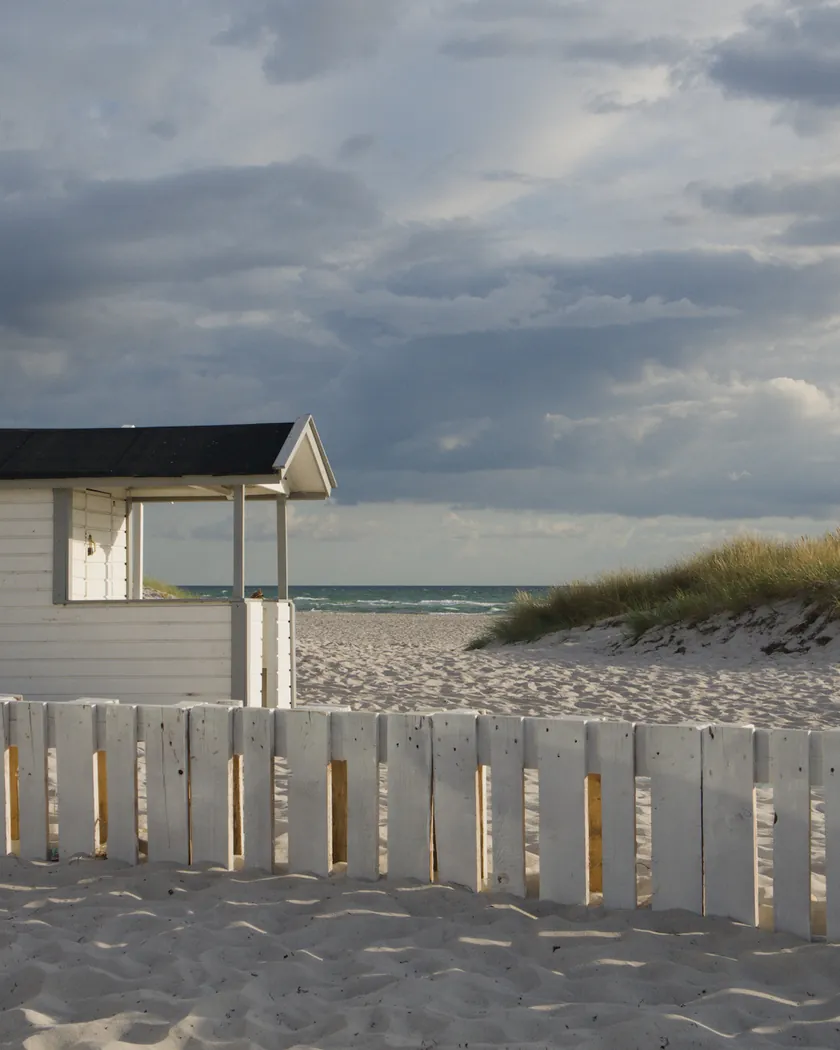
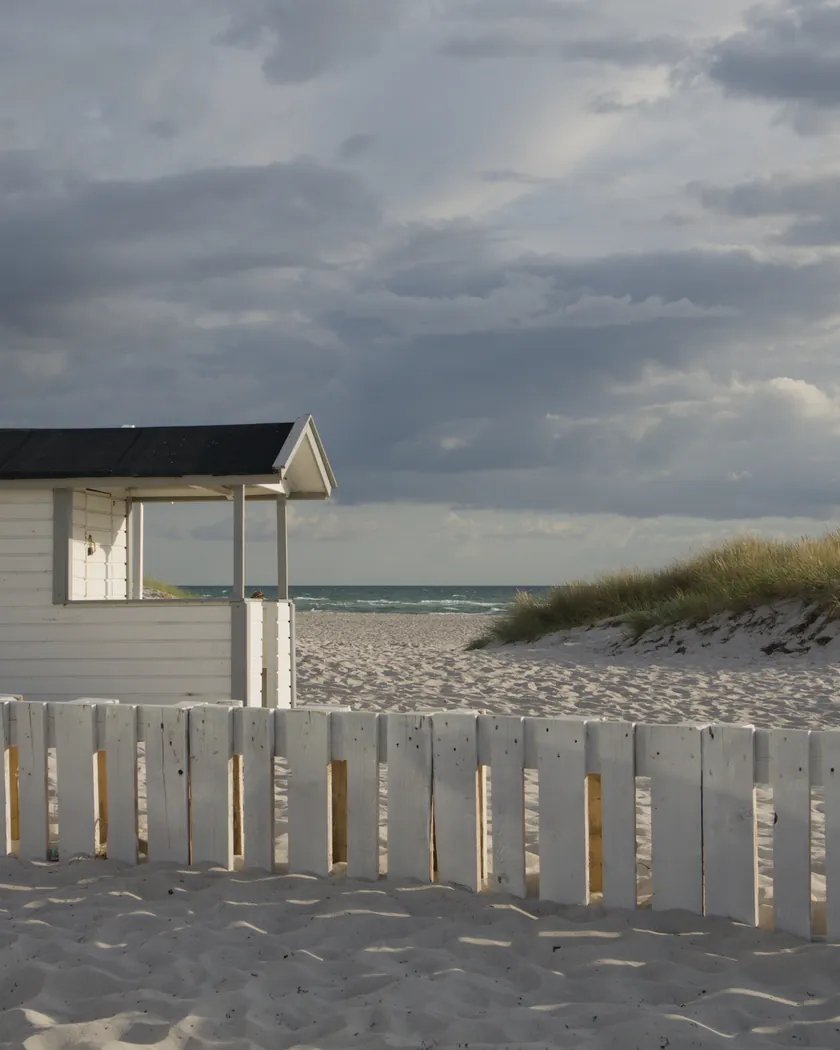
Translation into darktable
| Module | Role | Settings |
|---|---|---|
| rgb primaries | Greens turned barely toward cyan, blues and reds a little purer | Green hue +0.04 rad, blue purity 1.06, red purity 1.03 |
| color balance rgb (instance “film”) | Neutral balance (a “faithful” film); shadows and highlights held back, midtone color slightly present | No color cast; shadow saturation −4 %, highlight saturation −3 %, midtone saturation +5 %; vibrance +0.08 |
| color equalizer | Deep blues, clean greens, skin hue left alone | Blue: saturation ×1.16, brightness ×0.94; green: hue +6°, saturation ×1.08; red ×1.04; orange ×1.05 |
| tone curve (RGB, per channel) | Moderate contrast with no marked shoulder, so highlights are held | Nodes (0, 0.012) (0.10, 0.095) (0.25, 0.24) (0.5, 0.515) (0.75, 0.775) (0.9, 0.915) (1, 0.985) |
| grain | Sized from the datasheet's RMS 4 on an ISO 100 film: slightly quieter than the Pro 400H style | Coarseness 900, strength 10, midtones bias 90 |
Measurements
The measurements come from a few test photos of our own, which are not published on this site. The photos shown here are different.
| Photo | Zone | Baseline | Metric | Before | After | Film expectation |
|---|---|---|---|---|---|---|
| 0775 | whole image | Base rendering | L (mean lightness) | 53.2 | 52.7 | No brightening: mean lightness almost unchanged |
| 0775 | whole image | Base rendering | Lsd (contrast) | 14.3 | 15.3 | Moderate contrast: +1.0 |
| 0775 | whole image | Base rendering | L95 (highlights) | 75.2 | 76.7 | Highlights held, a little higher |
| 1014 | whole image | Base rendering | L (mean lightness) | 36.5 | 37.0 | No brightening: mean lightness almost unchanged |
| 1014 | whole image | Base rendering | Lsd (contrast) | 30.7 | 31.7 | Moderate contrast: +1.0 |
| 1014 | whole image | Base rendering | L5 (blacks) | 2.6 | 3.2 | Blacks barely raised |
| 1014 | whole image | Base rendering | L95 (highlights) | 87.9 | 89.7 | Highlights held, a little higher |
| 0775 | sky | Base rendering | C (chroma) | 27.5 | 33.3 | Deeper blues: about 21 % more saturated |
| 0775 | sky | Base rendering | h (hue, °) | 273.6 | 272.9 | Blues deeper without a hue shift |
| 0775 | sea | Base rendering | C (chroma) | 22.2 | 27.8 | Deeper blues: about 25 % more saturated |
| 0989 | skin | Base rendering | L (lightness) | 78.2 | 80.2 | No specific target |
| 0989 | skin | Base rendering | C (chroma) | 16.4 | 17.3 | Natural skin: about 5 % more saturated |
| 0989 | skin | Base rendering | h (hue, °) | 44.2 | 44.3 | Natural skin: hue unchanged |
| 1014 | pink T-shirt | Base rendering | C (chroma) | 33.7 | 37.7 | Faithful reds, a little more present |
| 1014 | pink T-shirt | Base rendering | h (hue, °) | 358.8 | 0.5 | Hue about 1.7° away from the base rendering |
Base rendering: darktable’s default processing of the RAW file, without the preset. Luminance conversion (black and white): the same photo converted with plain luminance weights, to isolate the effect of the film’s spectral sensitivity.
What the style changes
The style sets five darktable modules. It aims at a faithful Reala 100: neutral balance, moderate contrast with no marked shoulder, deeper blues, clean greens, natural skin and fine grain, as the datasheet and the reviews describe on the Fujifilm Reala 100 film page. All figures below come from renders made with darktable-cli 5.6.0 at 1000 px, measured in CIELab.
- Deeper blues. rgb primaries raises the purity of blue and red, and the color equalizer boosts blue saturation and lowers its brightness. Sky chroma rises from 27.5 to 33.3 (about 21 %) and sea chroma from 22.2 to 27.8 (about 25 %), with the sky hue almost unchanged (273.6° to 272.9°). Reviews speak of deeper blues than Superia 100.
- Moderate contrast. The tone curve barely lifts the blacks (L5 2.6 to 3.2 on photo 1014) and lets highlights rise slightly (L95 +1.5 and +1.8). Contrast grows by about 1.0 (Lsd 14.3 to 15.3 and 30.7 to 31.7). Mean lightness stays where it was (L −0.5 and +0.5), so there is no airy brightening.
- Natural skin. Skin hue does not move (44.2° to 44.3°) and chroma rises only from 16.4 to 17.3.
- Faithful reds. The pink T-shirt goes from hue 358.8° to 0.5° and from chroma 33.7 to 37.7.
- A neutral “film” color balance rgb instance. It adds no color cast, holds back shadow and highlight saturation slightly and adds a little vibrance.
- Fine grain, sized from the datasheet’s RMS 4 on an ISO 100 film.
For comparison, the Pro 400H style of this collection lifts the image (L +3 on the same files) and leaves blues almost unchanged. The t3mujinpack collection has no Reala style, so we rendered its Superia 100 style on the same files; it is a neighboring film, not the same one, and it warms skin (hue 54.2°) where this style leaves it alone.
What it leaves alone
- Your base development. The style contains no exposure, no sigmoid or filmic, no white balance and no LUT. Those settings stay as you made them.
- Your color balance rgb. The style’s color balance rgb is a separate instance named “film”: it is added next to yours, which stays untouched.
- But not your tone curve, rgb primaries, color equalizer or grain. When you apply a style from the lighttable or the darkroom, each of its modules replaces the instance of the same module with the same name, if the photo has one, and is added otherwise. The style’s tone curve, rgb primaries, color equalizer and grain carry no instance name, so they replace any settings you had already made in those modules. Your earlier settings remain in the history.
- Your pipeline order. The style file carries no module order list, so it does not impose one on your image.
Exporting with a style, or rendering with darktable-cli, works differently: every module of the style is added as a separate instance. Our measurements were made that way, on darktable’s default rendering. The details are in Install and apply darktable styles.
Limits
- An interpretation, not a calibration. The style stays close to darktable’s base rendering on purpose, because a faithful film departs from it only a little. The difference is mostly in the blues.
- Greens are not measured. The greens’ shift toward cyan (+4° in rgb primaries, +6° in the color equalizer) is not measured, because the test photos have little vegetation.
- Sources disagree on saturation. Reviews call Reala both “dull” and “like a slide film”. The style keeps a moderate saturation, stronger in the blues.
- The fourth layer is not simulated as such. The spectral curve was read from a graph and the style is not computed from it.
- The datasheet is a third-party copy. AF3-967E is hosted by 125px, but carries Fujifilm’s header and reference number.
- Discontinued film. Reviews were written on varied stocks, labs and scanners.
Tips
- Apply it early. If you plan to fine-tune the tone curve, rgb primaries, color equalizer or grain yourself, apply the style first: it would replace those settings if you made them before.
- For more punch, add contrast in your own tone module afterwards: a reviewer found the film’s contrast low.
- Everything stays editable. Each module the style sets is an ordinary module instance: you can adjust it or switch it off afterwards, for example the grain strength or the “film” color balance rgb.
- Installation: see Install and apply darktable styles.
Get the preset
GA — 034 / P · darktable preset
Reala 100
for darktable