darktable preset inspired by FerraniaP30
High-contrast black and white with deep blacks, dark reds, denser skin and very fine grain.
- Film
- GA — 085 · sheet, datasheet, sources
- Pack
- darktable pack
- darktable
- 5.6 or later
- Also for
- Photomator, Lightroom
- In darktable
- Styles › The Grain Archive › Black & white
- File
- The Grain Archive - Black & white - Ferrania P30.dtstyle
A darktable 5.6 style interpreting Ferrania P30: dark reds, deep shadows, fine grain. Estimated, not calibrated, since Ferrania publishes no curve. Native modules, darktable pack.
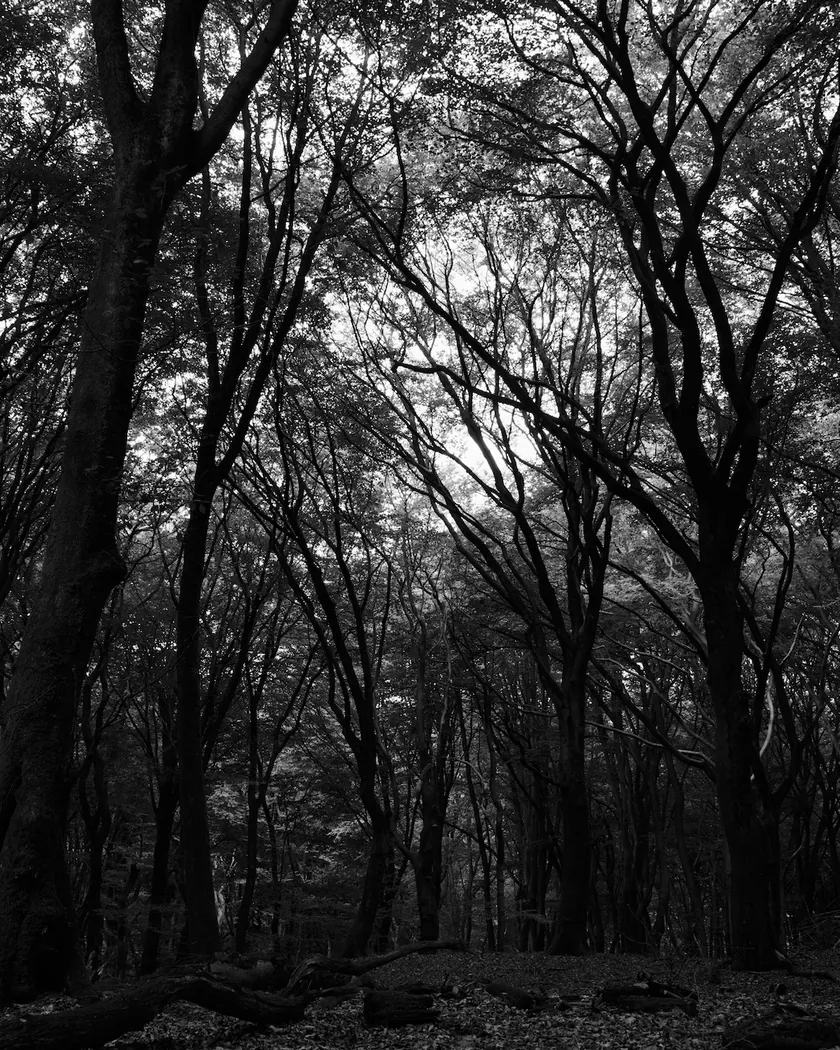
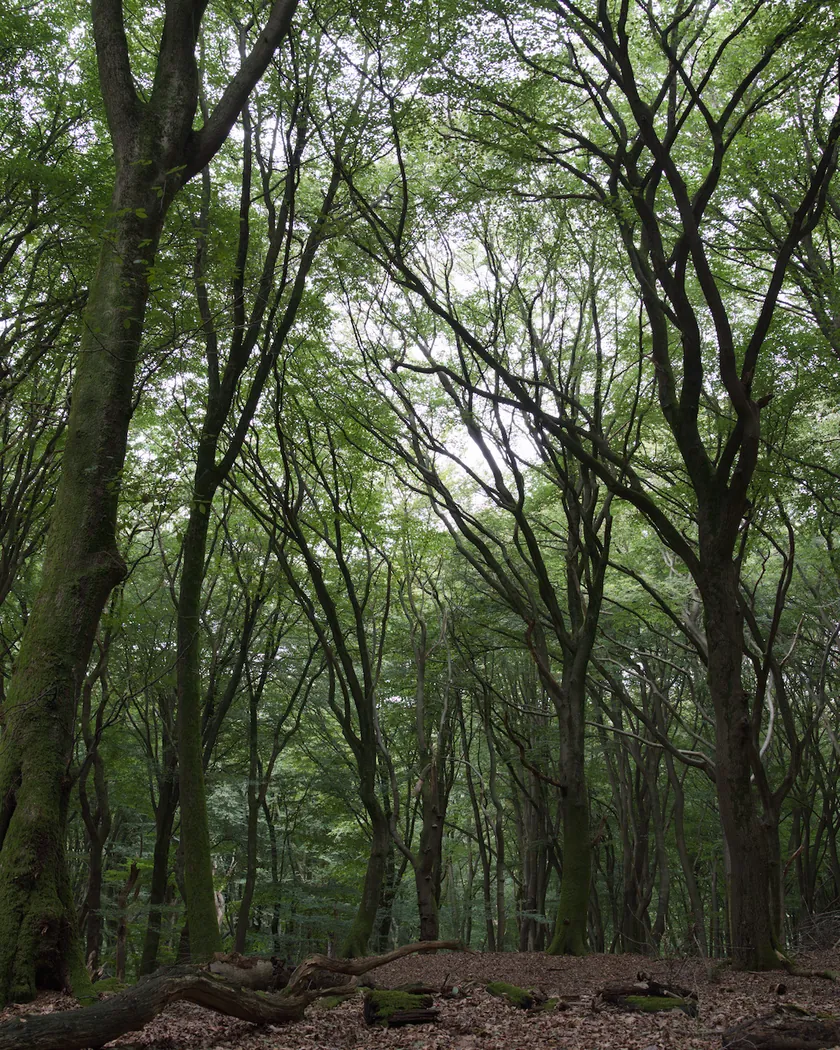
Translation into darktable
| Module | Role | Settings |
|---|---|---|
| color calibration (main instance) | Switched off, so chromatic adaptation cannot tint the gray | Disabled; “as shot in camera”, CAT16 |
| color calibration (instance “B&W”) | Black-and-white conversion with estimated weights: Pan F Plus 50 as a starting point, with less red as reviews describe | Gray = 0.215·X + 0.245·Y + 0.540·Z |
| tone curve | Deep shadows, separated midtones, soft shoulder for silvery highlights | Nodes (0, 0) (0.1, 0.03) (0.25, 0.15) (0.4, 0.35) (0.5, 0.5) (0.65, 0.68) (0.8, 0.83) (0.92, 0.945) (1, 0.99) |
| grain | Very fine grain, between the Pan F Plus 50 style (800 / 14) and the Fomapan 100 style (1400 / 24) | Coarseness 1000, strength 16, midtones bias 90 |
Measurements
The measurements come from a few RAW files of our own, which are not published on this site. The photos shown here are different.
| Photo | Zone | Baseline | Metric | Before | After | Film expectation |
|---|---|---|---|---|---|---|
| Group photo | whole image | Base rendering | Lsd (contrast) | 30.7 | 32.6 | Marked contrast: higher |
| Seascape | whole image | Base rendering | Lsd (contrast) | 14.3 | 18.0 | Marked contrast: higher |
| Group photo | whole image | Base rendering | L5 (blacks) | 2.6 | 0.5 | Deep, inky shadows |
| Seascape | whole image | Base rendering | L5 (blacks) | 29.4 | 21.7 | Deep, inky shadows |
| Group photo | whole image | Base rendering | L95 (whites) | 87.9 | 87.4 | Restrained highlights |
| Seascape | whole image | Base rendering | L95 (whites) | 75.2 | 78.4 | Restrained highlights |
| Seascape | sky | Base rendering | L | 55.3 | 61.9 | Lighter sky (blue sensitivity) |
| Seascape | sea | Base rendering | L | 38.4 | 36.8 | Slightly darker |
| Portrait | skin | Base rendering | L | 78.2 | 74.9 | Skin gets denser, darker |
| Group photo | pink T-shirt | Base rendering | L | 47.3 | 42.6 | Dark reds |
| Group photo | whole image | Base rendering | C (neutrality) | 8.6 | 0.0 | Neutral gray, no color cast |
Base rendering: darktable’s default processing of the RAW file, without the preset. Luminance conversion (black and white): the same photo converted with plain luminance weights, to isolate the effect of the film’s spectral sensitivity.
What the style changes
The style converts the photo to black and white with less weight on red, then adds deep shadows, silvery highlights and fine grain. The film itself is described on the Ferrania P30 film page. All figures below come from renders made with darktable-cli 5.6.0 at 1000 px, measured in CIELab, compared with darktable’s base render.
- Gray with less red. A color calibration instance named “B&W” mixes the channels with estimated weights (0.215, 0.245, 0.540). They start from the Pan F Plus 50 weights (0.249, 0.243, 0.509), with less red as reviews describe. Ferrania publishes no spectral curve, so nothing was integrated from a graph.
- Contrast and deep shadows. The tone curve raises contrast (Lsd 30.7 → 32.6 on the group photo, 14.3 → 18.0 on the seascape) and lowers the darkest 5 % (L5 2.6 → 0.5, and 29.4 → 21.7).
- Restrained highlights. The L95 of the group photo stays about level (87.9 → 87.4). On the seascape it rises from 75.2 to 78.4.
- Sky and skin. The sky gets lighter (L 55.3 → 61.9), the sea slightly darker (38.4 → 36.8), skin darker (78.2 → 74.9) and a pink T-shirt darker (47.3 → 42.6).
- Fine grain. Coarseness 1000 and strength 16 place it between the Pan F Plus 50 and Fomapan 100 styles.
- A truly neutral gray. Chroma falls from 8.6 to 0.0.
Compared with nearby black-and-white styles
Same renders at 1000 px.
| Measure | P30 | Plus-X 125 | Fomapan 100 | Pan F Plus 50 |
|---|---|---|---|---|
| Lsd, seascape | 18.0 | 16.7 | 19.3 | 20.2 |
| Lsd, group photo | 32.6 | 31.7 | 34.0 | 32.9 |
| L5, group photo | 0.5 | 1.4 | 0.3 | 0.0 |
| L95, group photo | 87.4 | 88.1 | 89.5 | 89.9 |
| Sky L, seascape | 61.9 | 60.8 | 61.6 | 59.3 |
| Skin L, portrait | 74.9 | 67.7 | 71.1 | 65.9 |
| Grain, sky of the seascape, 2560 px | 3.1 | 3.5 | 4.8 | 2.7 |
Grain is the standard deviation of the image minus its Gaussian blur (radius 4 px), measured on the sky of the seascape (0.3 to 0.7 × 0.05 to 0.3) at 2560 px.
Reading: the differences with Plus-X and Pan F Plus are moderate. They come mostly from lighter skin, more restrained highlights and deeper shadows than Plus-X. They remain subtle.
What it leaves alone
- Your base development. The style contains no exposure, no sigmoid or filmic and no LUT. Those settings stay as you made them.
- But it switches off your main color calibration. It contains two color calibration instances: a disabled one with no instance name, which replaces your main color calibration and switches it off (“as shot in camera”, CAT16, like darktable’s default), and the “B&W” instance that does the conversion. Why: an active color calibration running after the black-and-white conversion would tint the gray through chromatic adaptation.
- It also replaces your tone curve and grain. Their instances carry no name, so they replace any settings you had already made in those two modules when the style is applied from the lighttable or the darkroom.
- Your pipeline order. The style file carries no module order list.
Exporting with a style, or rendering with darktable-cli, adds every module as a separate instance; the disabled color calibration still switches off the existing one. Details are in Install and apply darktable styles.
Limits
- An interpretation, not a calibrated emulation. No film scan was used to tune the style.
- No datasheet curve. Ferrania’s guide has no characteristic curve, spectral sensitivity or RMS. The spectral weights and the tone curve are estimated from qualitative descriptions: they are choices, not measurements.
- Sources disagree on contrast (it depends on the developer) and on red sensitivity (panchromatic or close to orthopanchromatic).
- Skin gap. Reviews say skin darkens strongly. Here skin is darker than the base render (74.9 against 78.2) but lighter than in the Plus-X, Fomapan and Pan F Plus styles. Lowering red further would also darken the pink T-shirt (42.6), and the sources give no figures to size it.
- The developer. The film reacts strongly to developer and time. The style aims at a medium, contrasty look, not a specific development.
- The grain. darktable’s grain is procedural noise: it imitates the texture, not the shape of silver grains.
- The shoulder. The curve acts on an image already rendered by sigmoid, so the shoulder is approximate.
Tips
- Apply it early, before your own tone curve or grain settings, because it would replace them.
- Overexpose slightly when shooting for this look: Ferrania and reviewers suggest about 2/3 to one stop for shadow detail (see the film page).
- Back to color: switch the main color calibration back on and switch off the “B&W” instance.
- Installation: see Install and apply darktable styles.
Get the preset

Film emulation software for Mac
Grain Archive Lab
Develop the P30 look on your Mac: grain and halation built in, then the photo in its film frame or on a contact sheet.
Free trial: no account needed, TRIAL watermark · One-time · current major version and all its updates · Macs with Apple silicon, macOS 15 Sequoia or later
Or the darktable preset
GA — 085 / P · darktable preset
P30
for darktable
Try the free darktable pack first · What the darktable pack contains