darktable preset Color Film, Contrasty Grain
A generic color film look, contrasty, with pronounced grain.
- Pack
- Free packFree
- darktable
- 5.6 or later
- In darktable
- Styles › Film Couleur
- File
- Film Couleur - Contrasté grain.dtstyle
A generic darktable 5.6 film look: S-curve, blue-green shadows, warm highlights, visible grain. Native modules, no LUT, measured on RAW files. Free.
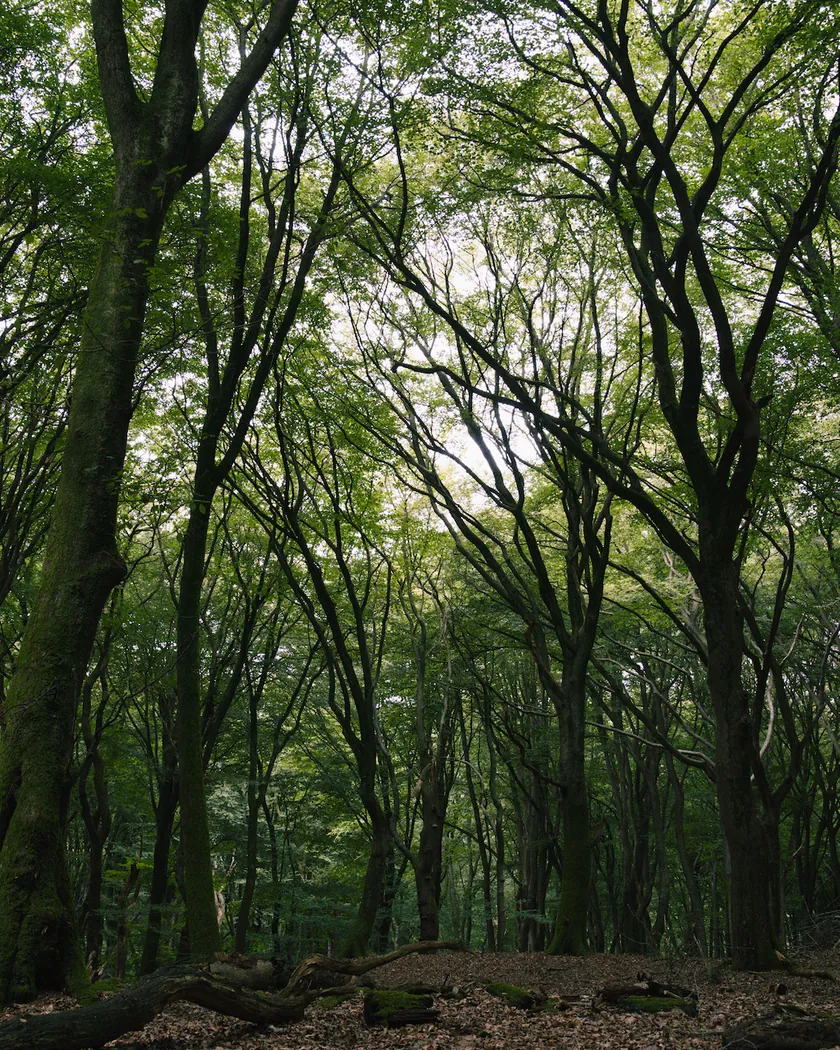
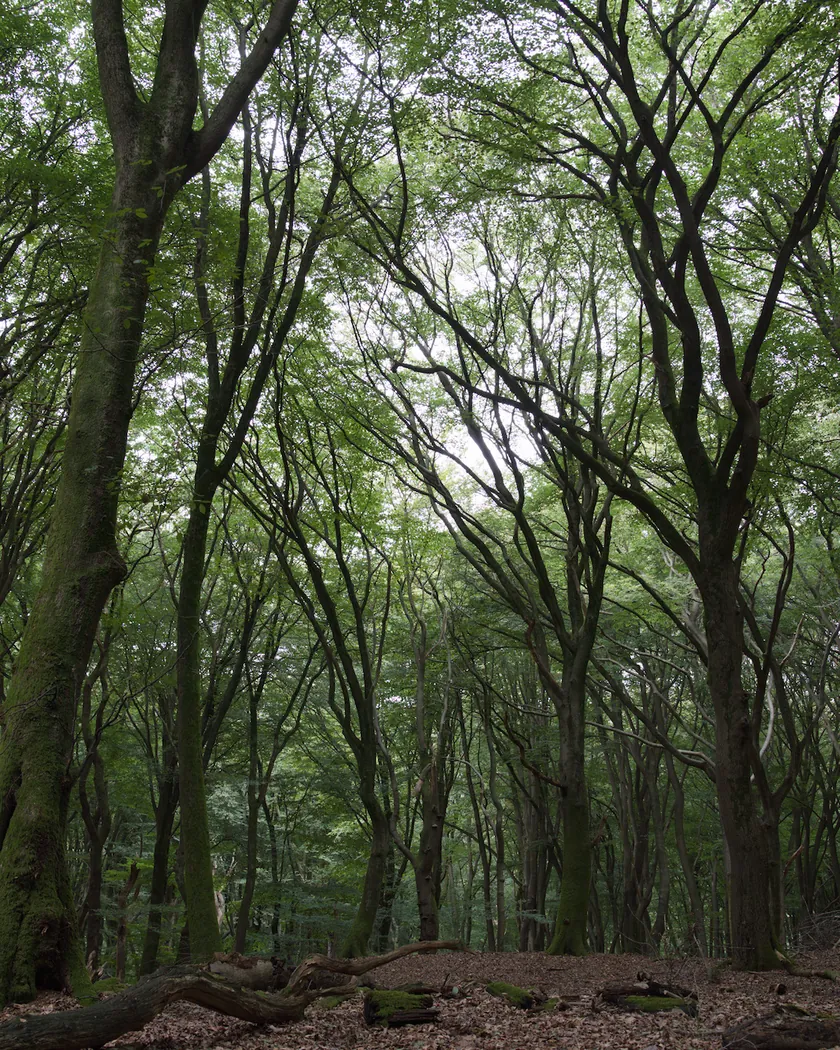
Translation into darktable
| Module | Role | Settings |
|---|---|---|
| rgb primaries | Turns reds toward orange, greens toward yellow and blues toward cyan | Red hue +0.05 rad, green hue −0.08 rad, blue hue −0.06 rad |
| color balance rgb (instance “film”) | Blue-green shadows, warm highlights; richer midtones, slightly calmer highlights | Shadows 155° / 0.04; highlights 40° / 0.03; saturation: midtones +15 %, highlights −5 %; vibrance +0.15 |
| tone curve | S-curve with a slightly lifted black and a slightly lowered white | RGB, linked channels, preserve colors: none. Nodes (0, 0.015) (0.1, 0.06) (0.25, 0.19) (0.5, 0.49) (0.75, 0.79) (0.9, 0.93) (1, 0.985) |
| grain | Clearly visible grain | Coarseness 2000, strength 35, midtones bias 80 |
Measurements
The measurements come from a few test photos of our own, which are not published on this site. The photos shown here are different.
| Photo | Zone | Baseline | Metric | Before | After | Film expectation |
|---|---|---|---|---|---|---|
| 0775 | whole image | Base rendering | Lsd (contrast) | 14.3 | 17.0 | Intended: more contrast |
| 1014 | whole image | Base rendering | Lsd (contrast) | 30.7 | 32.9 | Intended: more contrast |
| 0775 | whole image | Base rendering | L (mean lightness) | 53.2 | 53.6 | Intended: overall brightness kept |
| 0775 | whole image | Base rendering | L95 (highlights) | 75.2 | 79.1 | Intended: brighter highlights from the S-curve |
| 0775 | sea | Base rendering | h (hue) | 270.1 | 258.5 | Intended: dark blues pushed toward blue-green |
| 0775 | sky | Base rendering | C (chroma) | 27.5 | 29.5 | Intended: slightly richer color |
| 0989 | skin | Base rendering | C (chroma) | 16.4 | 20.9 | Intended: richer, warmer midtones |
| 1014 | pink T-shirt | Base rendering | h (hue) | 358.8 | 7.7 | Intended: reds turned slightly toward orange |
Base rendering: darktable’s default processing of the RAW file, without the preset. Luminance conversion (black and white): the same photo converted with plain luminance weights, to isolate the effect of the film’s spectral sensitivity.
What the style changes
This is a generic look for color film: more contrast, blue-green shadows, warm highlights and visible grain. It is not based on a particular film and not built from a datasheet. In darktable it appears as Film Couleur › Contrasté grain. All figures below come from renders made with darktable-cli 5.6.0 at 1000 px, measured in CIELab and compared with darktable’s default rendering of the same RAW file. How the styles are built and measured is described on the method page.
- Contrast from an S-curve. The tone curve darkens the lower tones and brightens the upper ones, with a slightly lifted black (0.015) and a slightly lowered white (0.985). It works on each color channel separately, so saturation rises a little with contrast. Contrast goes up from 14.3 to 17.0 on one test photo and from 30.7 to 32.9 on another, while mean lightness barely moves (53.2 → 53.6). The brightest 5 % of the first photo go from L 75.2 to 79.1.
- Cool shadows, warm highlights. A color balance rgb instance named “film” pushes the shadows toward blue-green and the highlights toward orange. On the test seascape, the dark sea turns from a hue of 270° to 258.5°, toward blue-green.
- Shifted primaries. The rgb primaries module turns reds slightly toward orange, greens toward yellow and blues toward cyan. A pink T-shirt moves from a hue of 358.8° to 7.7°.
- Richer midtones. Midtone saturation is raised by 15 % and vibrance by 0.15, while highlight saturation is lowered by 5 %. Chroma rises from 16.4 to 20.9 on skin and from 27.5 to 29.5 on the sky.
- Visible grain. The grain strength (35) is higher than in the Kodak Tri-X 400 style (32).
What it leaves alone
- Your base development. The style contains no exposure, no sigmoid or filmic, no white balance and no LUT, so your exposure, tone mapping and white balance stay as you set them.
- Your own color balance rgb. The style’s instance is named “film”, so a color balance rgb you have already set up is not replaced.
- But not every module you may use. When you apply the style in the lighttable or darkroom, its unnamed modules (tone curve, grain, rgb primaries) take over the instance of the same name if your edit already uses those modules. Your own settings stay in the history stack.
- At export and in darktable-cli it is different. A style applied with the export module or with darktable-cli, in append mode, adds each of its modules as a separate new instance on top of yours. The measurements on this page were made that way. See Install and apply darktable styles.
- Your pipeline order. The style file carries no module order list, so it does not impose one on your image.
Limits
- No reference film. The style is a general “contrasty color film” look. It does not imitate a specific film and has no film page or datasheet behind it.
- An interpretation, not a calibration. No film was scanned or measured to tune the style.
- The grain. darktable’s grain is procedural noise: it imitates the texture of film grain, not the shape of real dye clouds.
- Test photos. The measurements come from four test RAW files. On other photos, the same settings will move the numbers by different amounts.
Tips
- Grain and export size. The grain shows less on small exports than on large ones. Judge it at the size you will publish.
- Less color, same contrast. Switch off the “film” color balance rgb instance and the rgb primaries to keep only the curve and the grain.
- One style at a time. A Grain Archive film style applied on top of this one replaces the instances the two styles share (tone curve, grain, “film” color balance) rather than adding to them; the others stay active. To compare looks, tick “create duplicate” in the styles module.
- Installation: see Install and apply darktable styles.
Get the preset